
Updated October 13, 2026. A true 4K gaming monitor needs to deliver more than 8.3 million pixels. The best models balance 3840 × 2160 clarity, refresh rate, actual pixel-response performance, HDR behavior, HDMI/DisplayPort bandwidth and long-term ownership. For a premium PC setup, the ASUS ROG Swift OLED PG32UCDM Gen3 (PG32UCDM3) is our research-based overall choice. If you need a lower-cost screen, a brighter Mini-LED, a 27-inch desktop or a 480Hz esports mode, the right answer changes.
Disclosure: AsumeTech has not purchased, measured or hands-on tested these monitors. Our editorial scores are research-only assessments of verified manufacturer specifications, independent testing and practical trade-offs; they are not measured RTINGS or laboratory scores. This is a 2026 buying guide, not a claim that all eight monitors launched in 2026. Check your country’s exact model code, warranty and current stock before ordering.
At a glance: eight 4K gaming monitors for different budgets
| ID | Exact model | Panel and size | 4K refresh | Best for | Research score |
|---|---|---|---|---|---|
| P001 | ASUS ROG Swift OLED PG32UCDM Gen3 (PG32UCDM3) | 31.5-inch Tandem QD-OLED | 3840 × 2160 at 240Hz | Best premium 32-inch 4K gaming monitor | 9.4/10 |
| P002 | Dell Alienware AW2725Q | 26.7-inch QD-OLED | 3840 × 2160 at 240Hz | Best compact 27-inch 4K OLED | 9.0/10 |
| P003 | Acer Nitro XV275K P5biipruzx (UM.HX5AA.501) | 27-inch IPS LCD with 1,152-zone Mini-LED backlight | 3840 × 2160 at 160Hz | Best bright-room Mini-LED and dual-mode value | 8.6/10 |
| P004 | Dell 27 Plus 4K S2725QS | 27-inch IPS LCD | 3840 × 2160 at 120Hz | Best inexpensive 4K/120Hz casual console display | 7.3/10 |
| P005 | ASUS ROG Strix OLED XG32UCWMG | 31.5-inch glossy WOLED | 3840 × 2160 at 240Hz | Best glossy WOLED with 480Hz competitive mode | 9.1/10 |
| P006 | Samsung Odyssey Neo G8 G85NB (S32BG85) | 32-inch 1000R curved VA LCD with 1,196-zone Mini-LED | 3840 × 2160 at 240Hz | Best curved high-refresh Mini-LED alternative | 8.5/10 |
| P007 | ASUS ROG Strix XG27UCS | 27-inch Fast IPS LCD | 3840 × 2160 at 160Hz | Best 27-inch IPS for fast PC gaming | 8.0/10 |
| P008 | GIGABYTE M32U | 31.5-inch SuperSpeed IPS LCD | 3840 × 2160 at 144Hz | Best 32-inch IPS hybrid gaming and productivity | 8.2/10 |
How we researched and scored these displays
We first required native 3840 × 2160 resolution, a credible manufacturer specification and a defensible gaming use case. Our weighted research-only rubric assigns 25% to motion/response and input latency, 25% to HDR and contrast, 20% to 4K signal handling/VRR/console compatibility, 15% to ergonomics and useful extras, and 15% to value, warranty and ownership. We use independent tests to identify limitations such as VRR flicker, overdrive overshoot, haloing and real HDR brightness, but do not transplant other publications’ numerical scores as our own. A 0.1-point score difference is editorial judgment, not laboratory precision.
Product rankings are use-case recommendations, not a universal performance league: the cheapest casual-gaming screen cannot fairly beat a flagship OLED on HDR, and a flagship OLED is poor value for a buyer with a strict $300 budget. Prices are intentionally not treated as fixed because promotions and import costs change daily. Manufacturer peak brightness, 1ms/0.03ms response claims and DisplayHDR badges are not substitutes for measured behavior.
P001: ASUS ROG Swift OLED PG32UCDM Gen3 (PG32UCDM3) — Best premium 32-inch 4K gaming monitor
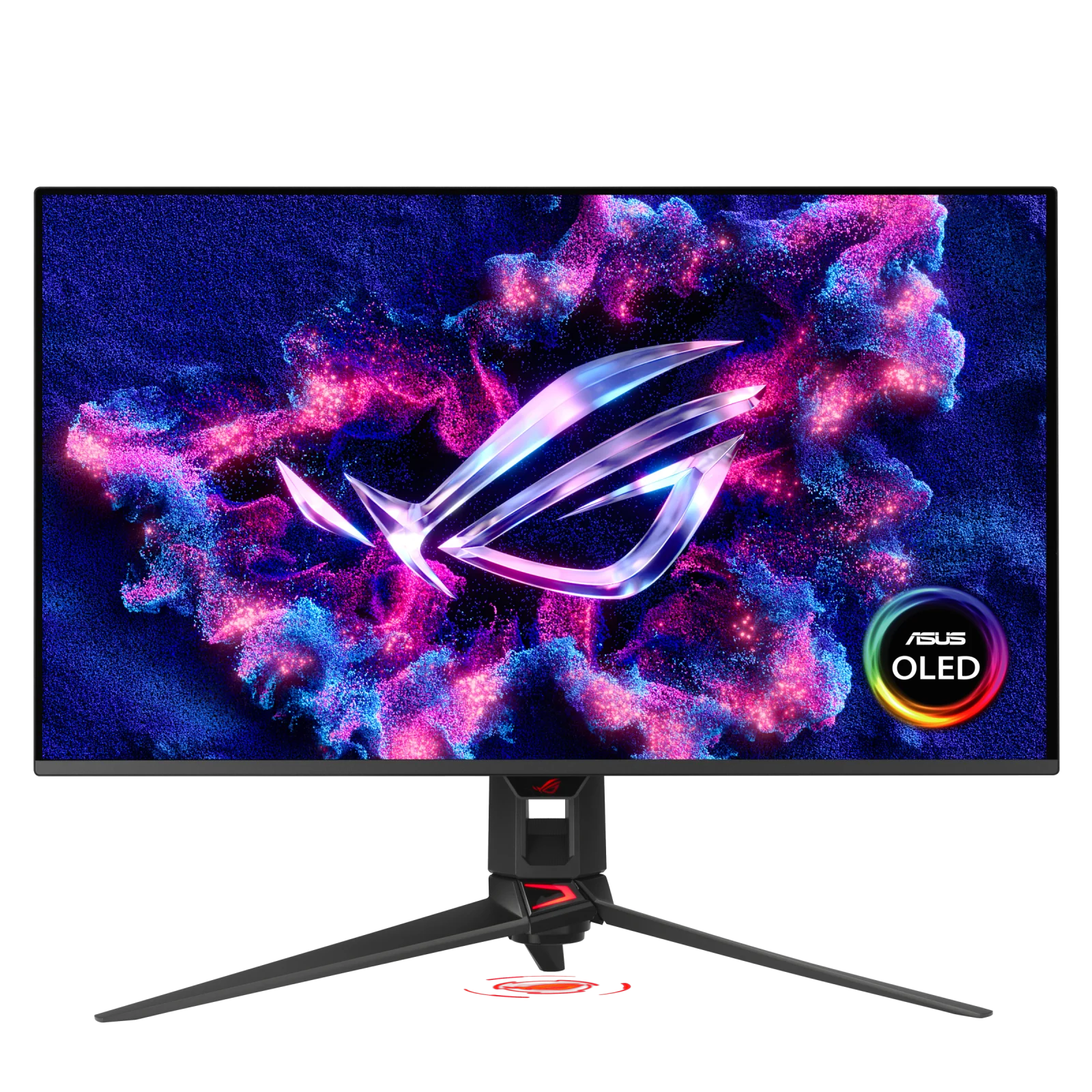
Research-only editorial score: 9.4/10. Panel: 31.5-inch Tandem QD-OLED. Modes: 3840 × 2160 at 240Hz. Connectivity: DisplayPort 2.1a UHBR20, HDMI 2.1, USB-C with up to 90W power delivery.
Why it makes the list
This newer Tandem QD-OLED flagship combines extremely fast transitions, strong HDR contrast and full-bandwidth DisplayPort 2.1a. Its BlackShield coating improves reflection control, and a USB hub with KVM makes switching between work and gaming systems practical.
At native 4K, the experience depends on the graphics card or console as much as on the monitor. A 240Hz panel does not make a game render 240 frames per second, and VRR can help only within the supported source/monitor range. Confirm the exact display model and its port capabilities rather than assuming all similarly named variants behave the same.
What the evidence says to watch out for
Even with the newer coating, raised black levels in a bright room remain a QD-OLED concern. Independent testing also noted unexpectedly higher 120Hz input lag than at 60Hz; OLED still carries burn-in risk with persistent static elements.
These are meaningful trade-offs, not minor technicalities: a monitor that excels in fast SDR games may look disappointing with dark HDR content, and a screen with great HDR may expose flicker when frame pacing varies. Review the independent measurements linked below for the test conditions and firmware context before committing to an expensive purchase.
Best buyer, alternatives and verdict
Buy it if: Enthusiasts with a powerful GPU, mixed PC and console setups, and a budget that justifies premium HDR. Consider something else if: You play exclusively at 4K/60–120 on a modest GPU or leave fixed desktop UI visible for long daily shifts.
Compared with rivals: Compared with the ASUS XG32UCWMG, it favors vivid QD-OLED color and uncompressed DP 2.1 bandwidth over 1080p/480Hz dual mode.
Verdict: This is a defensible best premium 32-inch 4k gaming monitor for buyers who value its specific strengths. Prioritize the panel, input protocol, practical frame rates, screen size and return policy over a marketing response-time number. We do not claim that AsumeTech performed hands-on measurements.
Sources: Manufacturer specifications for this exact model and Independent monitor review and measurements. Independent findings belong to their original testers.
P002: Dell Alienware AW2725Q — Best compact 27-inch 4K OLED
Research-only editorial score: 9.0/10. Panel: 26.7-inch QD-OLED. Modes: 3840 × 2160 at 240Hz. Connectivity: Two HDMI 2.1 inputs, DisplayPort and an HDMI eARC connection.
Why it makes the list
A compact 4K OLED packs very sharp pixel density into a 27-inch screen without sacrificing 240Hz smoothness. Near-instant pixel transitions, low latency, Dolby Vision and a useful console-focused HDMI/eARC feature set make it a flexible small-desk choice.
At native 4K, the experience depends on the graphics card or console as much as on the monitor. A 240Hz panel does not make a game render 240 frames per second, and VRR can help only within the supported source/monitor range. Confirm the exact display model and its port capabilities rather than assuming all similarly named variants behave the same.
What the evidence says to watch out for
QD-OLED black levels and saturation deteriorate in brighter rooms; independent testing identifies distracting VRR flicker as frame rate changes. Burn-in protection and warranty terms vary by region.
These are meaningful trade-offs, not minor technicalities: a monitor that excels in fast SDR games may look disappointing with dark HDR content, and a screen with great HDR may expose flicker when frame pacing varies. Review the independent measurements linked below for the test conditions and firmware context before committing to an expensive purchase.
Best buyer, alternatives and verdict
Buy it if: Players wanting crisp 27-inch desktop viewing, high-refresh PC games and PS5/Xbox compatibility. Consider something else if: Your priority is sunlit-room brightness, completely flicker-free variable refresh or a large 32-inch image.
Compared with rivals: Versus the ASUS PG32UCDM3, you give up size and flagship DP bandwidth while retaining 4K/240Hz OLED responsiveness.
Verdict: This is a defensible best compact 27-inch 4k oled for buyers who value its specific strengths. Prioritize the panel, input protocol, practical frame rates, screen size and return policy over a marketing response-time number. We do not claim that AsumeTech performed hands-on measurements.
Sources: Manufacturer specifications for this exact model and Independent monitor review and measurements. Independent findings belong to their original testers.
P003: Acer Nitro XV275K P5biipruzx (UM.HX5AA.501) — Best bright-room Mini-LED and dual-mode value
Research-only editorial score: 8.6/10. Panel: 27-inch IPS LCD with 1,152-zone Mini-LED backlight. Modes: 3840 × 2160 at 160Hz; 1920 × 1080 at 320Hz. Connectivity: Two HDMI 2.1, DisplayPort 1.4, USB-C DisplayPort Alt Mode with 90W power.
Why it makes the list
Mini-LED local dimming can deliver brighter HDR highlights than many OLED displays and avoids OLED-specific burn-in concerns. The dual mode adds a genuinely useful fast 1080p option for competitive games, while HDMI 2.1, KVM and 90W USB-C extend its value.
At native 4K, the experience depends on the graphics card or console as much as on the monitor. A 240Hz panel does not make a game render 240 frames per second, and VRR can help only within the supported source/monitor range. Confirm the exact display model and its port capabilities rather than assuming all similarly named variants behave the same.
What the evidence says to watch out for
Independent measurements found HDR haloing, dark-detail black crush and inverse ghosting; a local-dimming issue can temporarily elevate black levels when HDR is enabled. Local dimming cannot be used in SDR, so ordinary dark scenes are less convincing.
These are meaningful trade-offs, not minor technicalities: a monitor that excels in fast SDR games may look disappointing with dark HDR content, and a screen with great HDR may expose flicker when frame pacing varies. Review the independent measurements linked below for the test conditions and firmware context before committing to an expensive purchase.
Best buyer, alternatives and verdict
Buy it if: Players who alternate high-detail 4K single-player titles with faster shooters and work in moderately bright rooms. Consider something else if: You expect OLED-like perfect blacks or depend on local dimming in standard SDR desktop use.
Compared with rivals: Compared with the Samsung Neo G8, this Acer trades 4K/240Hz for a flat 27-inch IPS format and faster 1080p dual mode.
Verdict: This is a defensible best bright-room mini-led and dual-mode value for buyers who value its specific strengths. Prioritize the panel, input protocol, practical frame rates, screen size and return policy over a marketing response-time number. We do not claim that AsumeTech performed hands-on measurements.
Sources: Manufacturer specifications for this exact model and Independent monitor review and measurements. Independent findings belong to their original testers.
P004: Dell 27 Plus 4K S2725QS — Best inexpensive 4K/120Hz casual console display
Research-only editorial score: 7.3/10. Panel: 27-inch IPS LCD. Modes: 3840 × 2160 at 120Hz. Connectivity: HDMI 2.1 support; no integrated USB hub.
Why it makes the list
For the money, a sharp 27-inch 4K image, 120Hz refresh, low measured input lag and adjustable stand make this an appealing work-first display that can handle casual gaming. Official US pricing was around $230 at the time of research, but can change without notice.
At native 4K, the experience depends on the graphics card or console as much as on the monitor. A 240Hz panel does not make a game render 240 frames per second, and VRR can help only within the supported source/monitor range. Confirm the exact display model and its port capabilities rather than assuming all similarly named variants behave the same.
What the evidence says to watch out for
RTINGS found noticeably blurry fast motion because pixel response is slow, even though the refresh rate reaches 120Hz. HDR is weak, contrast is low and the display lacks a USB hub. It is not a competitive gaming monitor disguised as a bargain.
These are meaningful trade-offs, not minor technicalities: a monitor that excels in fast SDR games may look disappointing with dark HDR content, and a screen with great HDR may expose flicker when frame pacing varies. Review the independent measurements linked below for the test conditions and firmware context before committing to an expensive purchase.
Best buyer, alternatives and verdict
Buy it if: Budget buyers who want one monitor for office tasks and occasional 4K console or PC play. Consider something else if: Fast multiplayer gaming, dark-room cinematic HDR and viewers seeking deep black levels.
Compared with rivals: The ASUS XG27UCS is more gaming-oriented and faster; the Dell prioritizes affordability and everyday work.
Verdict: This is a defensible best inexpensive 4k/120hz casual console display for buyers who value its specific strengths. Prioritize the panel, input protocol, practical frame rates, screen size and return policy over a marketing response-time number. We do not claim that AsumeTech performed hands-on measurements.
Sources: Manufacturer specifications for this exact model and Independent monitor review and measurements. Independent findings belong to their original testers.
P005: ASUS ROG Strix OLED XG32UCWMG — Best glossy WOLED with 480Hz competitive mode
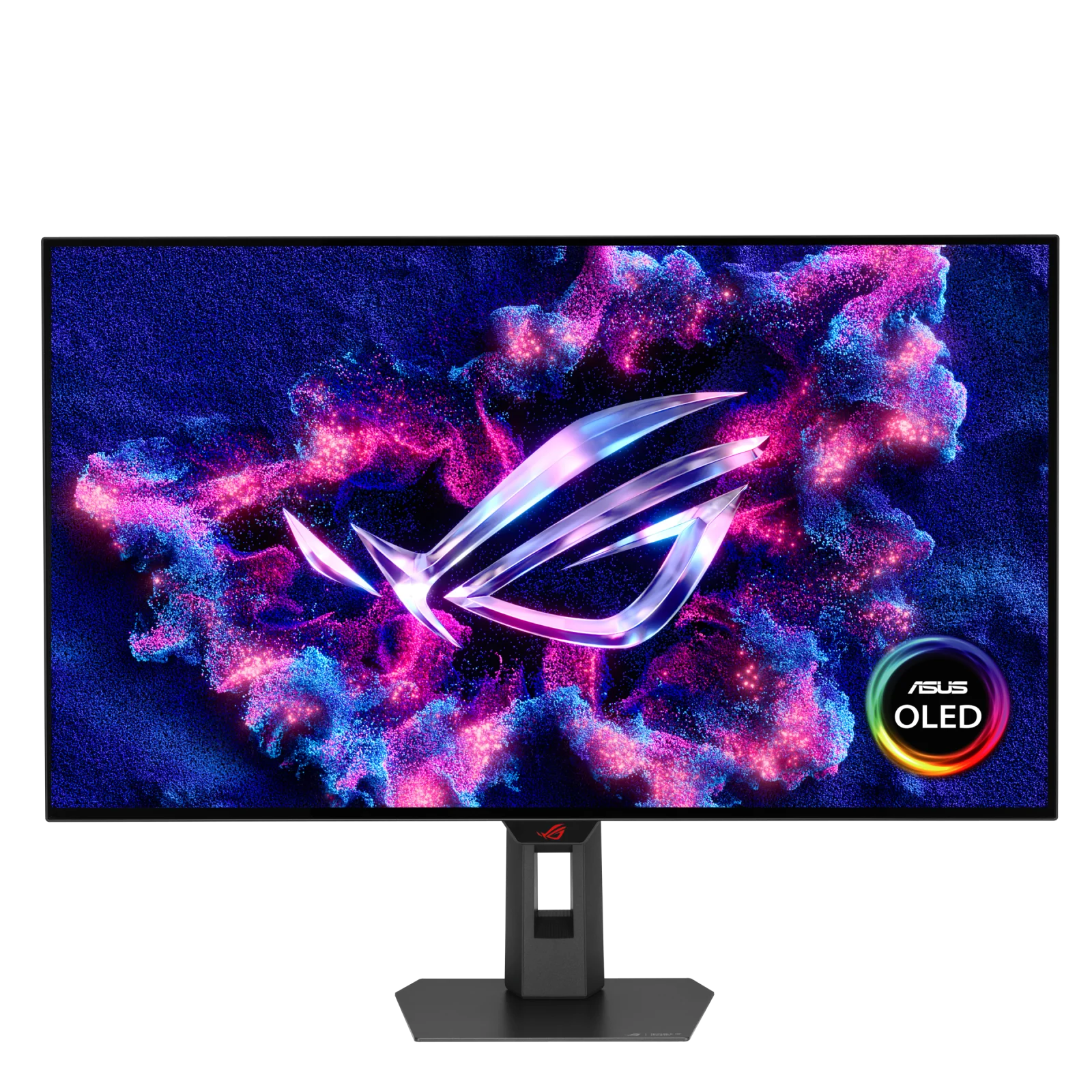
Research-only editorial score: 9.1/10. Panel: 31.5-inch glossy WOLED. Modes: 3840 × 2160 at 240Hz; 1920 × 1080 at 480Hz. Connectivity: HDMI 2.1, DisplayPort 1.4 with DSC, USB-C with up to 15W power.
Why it makes the list
Its TrueBlack glossy WOLED coating keeps blacks impressively dark even with some room lighting, and the 4K/240Hz to 1080p/480Hz mode switch is a strong fit for players who alternate cinematic games and esports. OLED pixel transitions remain nearly instantaneous.
At native 4K, the experience depends on the graphics card or console as much as on the monitor. A 240Hz panel does not make a game render 240 frames per second, and VRR can help only within the supported source/monitor range. Confirm the exact display model and its port capabilities rather than assuming all similarly named variants behave the same.
What the evidence says to watch out for
The 480Hz option is only at 1080p, not 4K. DisplayPort 1.4 relies on compression for 4K/240Hz, USB-C charging is modest, and RTINGS observed VRR flicker. Glossy reflections and static-content burn-in remain ownership trade-offs.
These are meaningful trade-offs, not minor technicalities: a monitor that excels in fast SDR games may look disappointing with dark HDR content, and a screen with great HDR may expose flicker when frame pacing varies. Review the independent measurements linked below for the test conditions and firmware context before committing to an expensive purchase.
Best buyer, alternatives and verdict
Buy it if: Competitive PC gamers who still want 32-inch 4K OLED for story games. Consider something else if: Buyers requiring uncompressed DP2.1 video, a high-wattage laptop dock or a reflection-free glossy screen.
Compared with rivals: Against PG32UCDM3 it favors dual-mode speed and darker bright-room blacks, but gives up some QD-OLED color vibrancy and DP 2.1.
Verdict: This is a defensible best glossy woled with 480hz competitive mode for buyers who value its specific strengths. Prioritize the panel, input protocol, practical frame rates, screen size and return policy over a marketing response-time number. We do not claim that AsumeTech performed hands-on measurements.
Sources: Manufacturer specifications for this exact model and Independent monitor review and measurements. Independent findings belong to their original testers.
P006: Samsung Odyssey Neo G8 G85NB (S32BG85) — Best curved high-refresh Mini-LED alternative
Research-only editorial score: 8.5/10. Panel: 32-inch 1000R curved VA LCD with 1,196-zone Mini-LED. Modes: 3840 × 2160 at 240Hz. Connectivity: HDMI 2.1 and DisplayPort; VRR support.
Why it makes the list
This non-OLED 4K/240Hz model combines a high-contrast VA panel, Mini-LED local dimming and a strongly curved immersive view. It is particularly interesting for buyers concerned about OLED burn-in who still want rich HDR and fast 4K PC gaming.
At native 4K, the experience depends on the graphics card or console as much as on the monitor. A 240Hz panel does not make a game render 240 frames per second, and VRR can help only within the supported source/monitor range. Confirm the exact display model and its port capabilities rather than assuming all similarly named variants behave the same.
What the evidence says to watch out for
Independent testing reported VRR flicker with variable frame rates, inverse ghosting at lower refresh rates and some HDR blooming/black crush. The pronounced 1000R curve is polarizing, and this older 2022-generation model may be difficult to find new in some markets.
These are meaningful trade-offs, not minor technicalities: a monitor that excels in fast SDR games may look disappointing with dark HDR content, and a screen with great HDR may expose flicker when frame pacing varies. Review the independent measurements linked below for the test conditions and firmware context before committing to an expensive purchase.
Best buyer, alternatives and verdict
Buy it if: Dark-room gaming fans who enjoy curved screens and want Mini-LED rather than OLED. Consider something else if: Multi-user viewing, flat-panel preferences, variable-FPS flicker sensitivity or regions without reliable new stock.
Compared with rivals: Compared with Acer XV275K P5, the Samsung delivers 4K/240Hz on a larger curved VA panel rather than a flat 4K/160Hz IPS with FHD/320Hz mode.
Verdict: This is a defensible best curved high-refresh mini-led alternative for buyers who value its specific strengths. Prioritize the panel, input protocol, practical frame rates, screen size and return policy over a marketing response-time number. We do not claim that AsumeTech performed hands-on measurements.
Sources: Manufacturer specifications for this exact model and Independent monitor review and measurements. Independent findings belong to their original testers.
P007: ASUS ROG Strix XG27UCS — Best 27-inch IPS for fast PC gaming
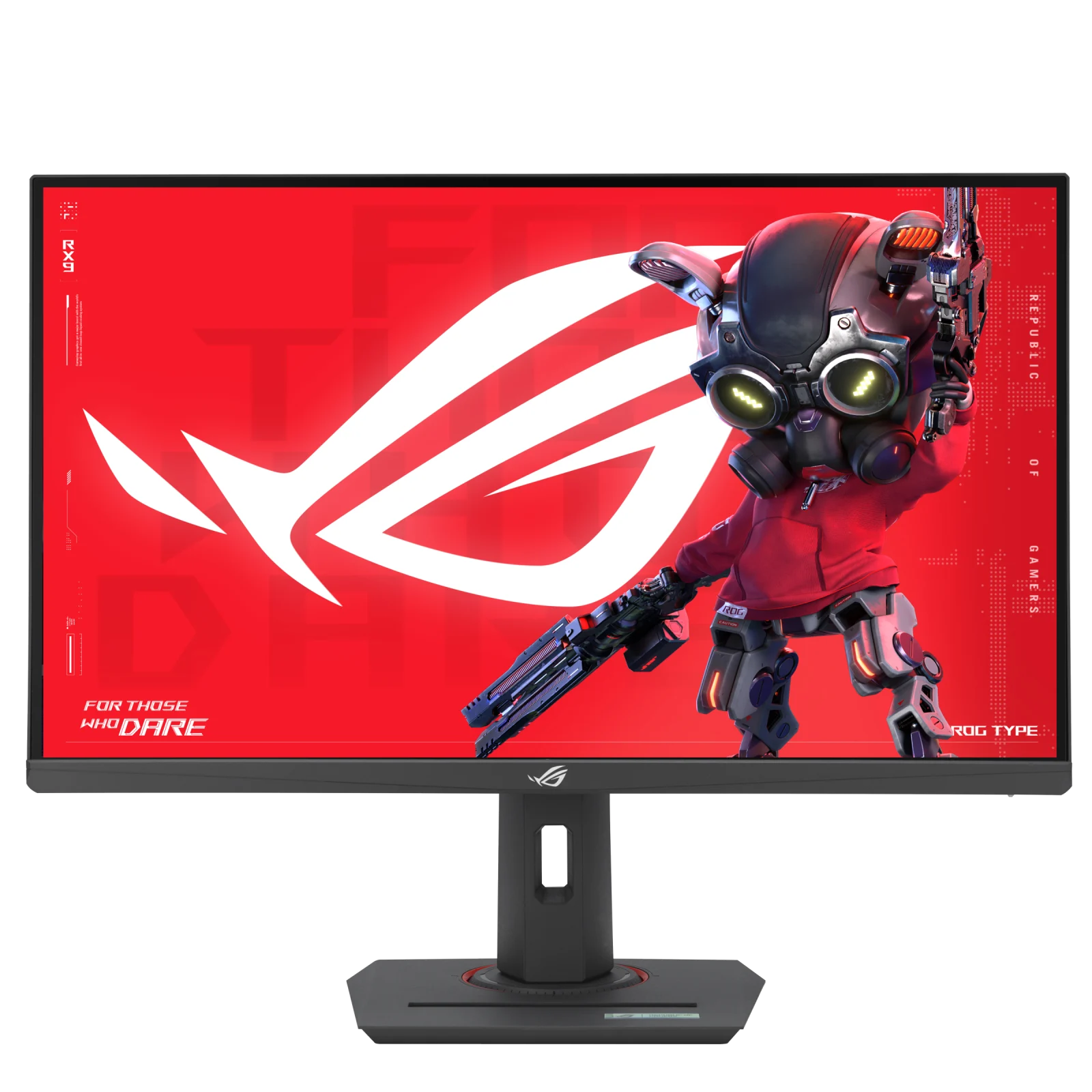
Research-only editorial score: 8.0/10. Panel: 27-inch Fast IPS LCD. Modes: 3840 × 2160 at 160Hz. Connectivity: DisplayPort 1.4, HDMI 2.0 and USB-C DisplayPort Alt Mode.
Why it makes the list
Its 4K/160Hz Fast IPS screen, adaptive sync, compact stand and USB-C video input make it a sensible PC-first option for players who also read and work on the same display. It avoids OLED burn-in exposure and typically sits below OLED pricing.
At native 4K, the experience depends on the graphics card or console as much as on the monitor. A 240Hz panel does not make a game render 240 frames per second, and VRR can help only within the supported source/monitor range. Confirm the exact display model and its port capabilities rather than assuming all similarly named variants behave the same.
What the evidence says to watch out for
The HDMI port is 2.0, not HDMI 2.1, so it should not be represented as a full-bandwidth 4K/120Hz console choice. DisplayHDR 400 is a modest certification, not evidence of high-end local-dimming HDR. Manufacturer 1ms claims are not a substitute for measured response-time tests.
These are meaningful trade-offs, not minor technicalities: a monitor that excels in fast SDR games may look disappointing with dark HDR content, and a screen with great HDR may expose flicker when frame pacing varies. Review the independent measurements linked below for the test conditions and firmware context before committing to an expensive purchase.
Best buyer, alternatives and verdict
Buy it if: Desktop PC users who want sharp 27-inch 4K and responsive 160Hz IPS performance. Consider something else if: PS5/Xbox owners demanding full 4K/120Hz HDMI 2.1 features or enthusiasts who prioritize HDR black depth.
Compared with rivals: The Dell S2725QS costs less but has slower motion; the Acer XV275K P5 offers a brighter HDR Mini-LED upgrade.
Verdict: This is a defensible best 27-inch ips for fast pc gaming for buyers who value its specific strengths. Prioritize the panel, input protocol, practical frame rates, screen size and return policy over a marketing response-time number. We do not claim that AsumeTech performed hands-on measurements.
Sources: Manufacturer specifications for this exact model and ASUS launch specifications and model differentiation. Independent findings belong to their original testers.
P008: GIGABYTE M32U — Best 32-inch IPS hybrid gaming and productivity
Research-only editorial score: 8.2/10. Panel: 31.5-inch SuperSpeed IPS LCD. Modes: 3840 × 2160 at 144Hz. Connectivity: Two HDMI 2.1, DisplayPort 1.4 with DSC, USB-C video, USB hub and KVM.
Why it makes the list
The spacious flat 32-inch IPS panel provides sharp 4K text, responsive high-refresh gaming and genuinely useful productivity features such as KVM switching between two PCs. HDMI 2.1 can carry 4K/120Hz console signals, subject to the connected source.
At native 4K, the experience depends on the graphics card or console as much as on the monitor. A 240Hz panel does not make a game render 240 frames per second, and VRR can help only within the supported source/monitor range. Confirm the exact display model and its port capabilities rather than assuming all similarly named variants behave the same.
What the evidence says to watch out for
HDR performance is weak: RTINGS found poor local dimming and grayish blacks, plus additional blur and inverse ghosting at lower refresh rates. USB-C charging is limited to about 15W, not enough for most high-performance laptops.
These are meaningful trade-offs, not minor technicalities: a monitor that excels in fast SDR games may look disappointing with dark HDR content, and a screen with great HDR may expose flicker when frame pacing varies. Review the independent measurements linked below for the test conditions and firmware context before committing to an expensive purchase.
Best buyer, alternatives and verdict
Buy it if: Hybrid desktop setups sharing peripherals between a gaming PC and work laptop, with more emphasis on utility than HDR. Consider something else if: OLED-level cinematic contrast, high-wattage USB-C docking or serious HDR grading.
Compared with rivals: It offers a larger and more productivity-oriented IPS alternative to the 27-inch ASUS XG27UCS.
Verdict: This is a defensible best 32-inch ips hybrid gaming and productivity for buyers who value its specific strengths. Prioritize the panel, input protocol, practical frame rates, screen size and return policy over a marketing response-time number. We do not claim that AsumeTech performed hands-on measurements.
Sources: Manufacturer specifications for this exact model and Independent monitor review and measurements. Independent findings belong to their original testers.
How to choose a 4K gaming monitor in 2026
4K/240Hz on PC is different from 4K/120Hz on a console
PS5 and Xbox Series X-class consoles generally top out at 4K/120Hz video output in supported games. A 240Hz 4K monitor is therefore most useful for high-end PCs and future upgrades; it does not make a console run at 240fps. HDMI 2.1 signaling matters for 4K/120Hz and VRR, but bandwidth and implementation vary. The ASUS XG27UCS, for example, has HDMI 2.0 rather than full-bandwidth HDMI 2.1 and should be considered PC-first. Check each monitor’s specific HDMI signal table, not just the connector shape.
Do you need DisplayPort 2.1 UHBR20?
The PG32UCDM3 has full-bandwidth DP 2.1a UHBR20, useful for a GPU that can output 4K/240Hz without display-stream compression. Many otherwise excellent 4K/240Hz monitors use DisplayPort 1.4 with DSC. DSC is designed to be visually lossless, so DP 2.1 is a compatibility and bandwidth advantage rather than an automatic picture-quality victory. Make sure the graphics card, cable and monitor all support the required link rate.
OLED versus Mini-LED versus IPS
OLED delivers pixel-level blacks, outstanding dark-scene contrast and very fast transitions, but has burn-in considerations, potentially raised blacks under ambient light and occasional VRR flicker. Mini-LED LCD can sustain brighter highlights and avoid OLED-specific burn-in, but local-dimming zones create blooming or crushed detail in difficult HDR scenes. Conventional IPS is usually more affordable and easy to live with for desktop work, yet often has grayish blacks and weak HDR. Our list intentionally includes all three technologies; an OLED-only ranking is a different buying question.
Refresh rate and actual motion clarity
A nominal 120Hz, 144Hz, 160Hz or 240Hz refresh rate is only the number of new frames the screen can show. Pixel transition time, overshoot, response consistency across variable frame rates and input lag determine whether fast motion looks clean. Independent testing found that the inexpensive Dell S2725QS has blurry motion despite its 120Hz label, whereas premium OLEDs maintain much sharper transitions. Conversely, a monitor with a manufacturer-advertised 1ms mode can introduce overshoot artifacts when the most aggressive overdrive is enabled.
Dual-mode monitors are two different resolutions, not two 4K speeds
ASUS XG32UCWMG can switch from 4K/240Hz to 1080p/480Hz; Acer XV275K P5 switches from 4K/160Hz to 1080p/320Hz. The fast modes sacrifice resolution. They suit players who alternate detailed story games with esports, but 1080p scaling on a 32-inch screen can look visibly soft. Do not confuse a 480Hz dual-mode specification with 4K/480Hz.
What makes HDR worthwhile?
HDR quality depends on actual highlight brightness, dark-scene control, color volume, tone mapping and the content itself. OLED can place a bright pixel next to a completely black one without a halo; Mini-LED can produce strong highlights but still glow around subtitles or HUD elements. Entry-level DisplayHDR 400 certification alone does not promise cinematic HDR, especially without effective local dimming. Review tested HDR scenes and firmware behavior instead of relying on peak-nit marketing claims.
How much GPU power does 4K gaming need?
4K has four times as many pixels as 1080p. Frame rates depend heavily on game engine, settings, ray tracing, VRAM, upscaling and the graphics card. Even a flagship GPU may not sustain 240fps at native 4K with maximum effects in a demanding new game. A sensible upgrade path is to choose a screen for both today’s GPU and a likely future one, while treating DLSS/FSR or other upscalers as workload-dependent compromises rather than guaranteed native performance.
Screen size, desk depth and viewing distance
A 27-inch 4K monitor produces dense, crisp desktop text and fits a compact desk, though many people will use OS scaling. A 32-inch 4K monitor provides a larger immersive picture and easier side-by-side windows but requires more desk depth. Samsung’s 1000R curve creates a more enveloping single-seat view, whereas a flat screen is often better for shared viewing and geometry-sensitive work.
Warranty, burn-in and long-term ownership
Check OLED burn-in coverage in writing for your country, including whether the warranty is handled by the local distributor. Static taskbars, HUDs and spreadsheets may raise risk over time; pixel refresh and screen-off functions reduce but do not eliminate it. LCD models avoid OLED-specific burn-in, but Mini-LED complexity, dead-pixel policies and panel uniformity still matter. Inspect delivery packaging immediately, keep the box through the return window and confirm the exact SKU before accepting a marketplace listing.
Frequently asked questions
Is 4K/144Hz enough for gaming?
For many people, yes. A good 4K/144Hz IPS monitor is responsive and easier to drive than a 4K/240Hz OLED at its full refresh rate. It is often a more balanced purchase when the graphics card cannot consistently produce very high 4K frame rates.
Should I buy 4K OLED or 1440p OLED?
Choose 4K if you value fine text, sharp detailed scenes and have GPU headroom. A 1440p OLED can cost less and is easier to drive at very high frame rates. Both can provide superb OLED contrast; resolution alone does not settle the question.
Do I need HDMI 2.1 for a PS5 or Xbox?
For the broadest 4K/120Hz and VRR compatibility, a properly implemented HDMI 2.1 input is the safest choice. Some monitors with HDMI 2.0 can accept limited 4K signals, but should not be assumed to support the full feature set. Verify the exact model’s console compatibility.
Can 4K monitors run 1080p games?
Yes. The source or display can scale a 1080p image to the 4K panel. Dedicated dual-mode models may additionally unlock a higher refresh rate at 1080p; a regular 4K monitor does not automatically do that.
What is VRR flicker?
Some displays visibly change brightness in darker scenes when the frame rate fluctuates under variable refresh rate. It can occur on OLED and VA displays and varies with the game, firmware and VRR range. Look at independent tests of the exact model rather than assuming all VRR-capable screens behave identically.
Do I need a special cable for 4K/240Hz?
Use a cable certified for the required HDMI or DisplayPort link rate, and ensure both ends support the same protocol. For DP 2.1 UHBR20, an appropriate cable and compatible GPU are needed; older DP 1.4 setups may use DSC. The bundled cable is a useful starting point but not proof of every combination.
Our final picks
For a flagship 32-inch 4K PC display, choose the ASUS PG32UCDM3. The Alienware AW2725Q is our compact OLED pick. The ASUS XG32UCWMG is better for people who will genuinely use its 1080p/480Hz mode. For HDR without OLED, compare the Acer XV275K P5 and Samsung Neo G8 carefully. For lower-cost IPS, the ASUS XG27UCS and GIGABYTE M32U are stronger gaming-oriented options than the casual-use Dell S2725QS.
For a complete gaming setup, pair monitor shopping with our research-based gaming laptop comparison, or consider our Wi-Fi router guide when online latency and home network reliability are part of the upgrade.
