
Updated October 12, 2026. The best laptop is the one that handles your actual software, fits your daily carry, and stays useful after the excitement of a new purchase fades. For most people, the Apple MacBook Air M5 is our best overall pick thanks to its complete starting configuration, quiet operation and dependable general-purpose design. The Dell XPS 14 is our premium Windows recommendation, while the ASUS ROG Zephyrus G14 earns the gaming award for its discrete RTX graphics. The remaining seven picks solve specific needs: flexible touch use, OLED value, affordable portability, a big work screen, professional content production, modular repairs and battery-focused Windows on Arm.
This is a research-led editorial comparison, not a hands-on lab test by AsumeTech. We reconciled manufacturer model numbers, technical specifications, 2026 announcements and credible independent reviews. We did not benchmark these ten laptops ourselves, time their batteries, measure their screens or receive test samples. Where a manufacturer advertises a maximum battery life, that is identified as a vendor claim; model-specific results depend on conditions and region. Vendor configurations and prices change, so buyers should verify the exact SKU rather than assuming all models with the same marketing name are identical.
Our ten picks deliberately span different use cases; they are not the ten fastest laptops ranked by synthetic benchmark. A 14-inch gaming laptop and a fanless ultrabook should not be judged by the same narrow metric. The main purpose of this guide is to help a buyer understand which compromises are worth paying for, where a cheaper specification is sensible, and when the higher-end machine is unnecessary.
Our Quick Picks
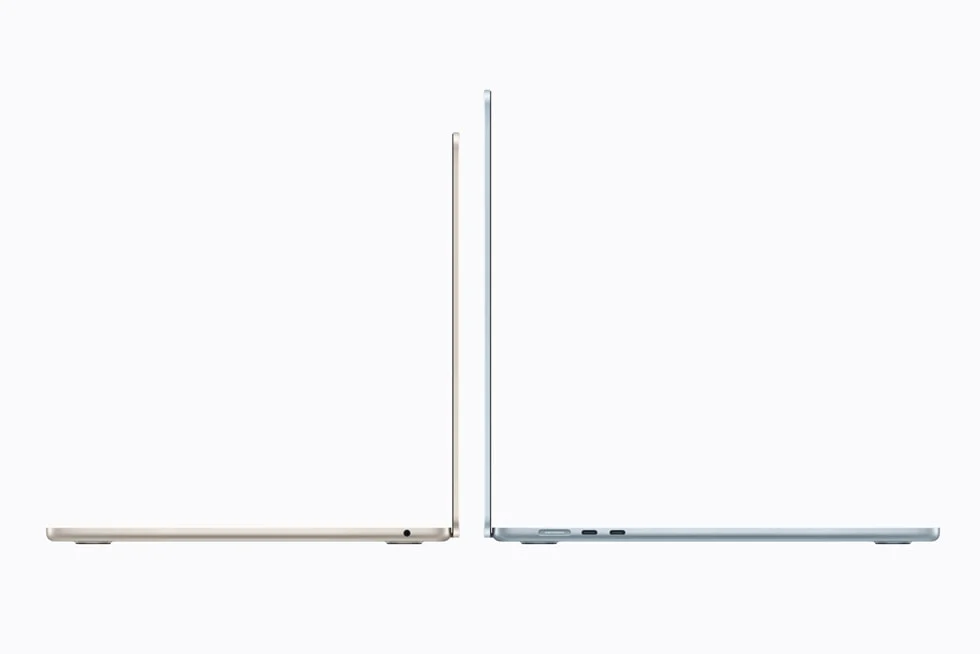
Apple M5; 13.6-inch 2560 × 1664 Liquid Retina; 16GB unified memory and 512GB SSD in the starting configuration; fanless macOS laptop
Best for: Students, business travelers, writers, researchers and everyday creative users who prefer macOS.
Purchase context: Apple announced the 13-inch model at $1,099 in the US; current retail pricing varies.
Pros: Quiet fanless design with reliable everyday responsiveness; 16GB RAM and 512GB SSD in the base version; Lightweight, bright display and strong battery-life evidence.
Cons: Only two Thunderbolt 4 ports, plus MagSafe and audio; 60Hz IPS screen instead of OLED/high refresh; No user-upgradable memory or internal storage.
Intel Core Ultra Series 3; 14-inch premium display options; up to 64GB soldered LPDDR5x in selected listings; Windows 11
Best for: Professionals who want a refined Windows machine with more display area and stronger configuration choices than an entry ultraportable.
Purchase context: Premium, configuration-dependent pricing; compare current local Dell offers.
Pros: Modern Intel Core Ultra Series 3 options; Premium chassis and OLED configurations; Flexible CPU and memory choices.
Cons: Expensive once upgraded; Exact display, graphics and storage depend on SKU; Soldered memory limits post-purchase upgrading.
Intel Core Ultra Series 3; 360-degree hinge; optional 14-inch 2.8K 120Hz OLED touch panel; 70Wh battery; LPDDR5x memory
Best for: Students, lecturers, illustrators and hybrid workers who genuinely need touch, pen and tent-mode flexibility.
Purchase context: Price and availability differ by market; check whether the desired 14IPH11 SKU is shipping locally.
Pros: 360-degree convertible design and touch-first workflow; Available high-resolution OLED and pen support; Useful range of productivity-focused CPU and memory configurations.
Cons: Heavier and more mechanically complex than some clamshells; Pen and premium panel may be configuration-dependent; Memory is soldered on Lenovo’s PSREF configurations.
Ryzen AI 9 465 configuration; 14-inch 1920 × 1200 OLED touch; magnesium-aluminum chassis; AMD integrated graphics
Best for: Everyday Windows users who favor a lightweight OLED screen and capable multitasking over a gaming GPU.
Purchase context: ASUS announced UM3406 options from $1,349.99 in the US; verify the UM3405GA configuration’s local asking price.
Pros: OLED contrast and color without a bulky gaming body; AMD Ryzen AI-powered configuration; Slim, everyday-work friendly design.
Cons: Regional configurations differ substantially; Not designed for demanding discrete-GPU workflows; Check soldered-RAM and display options before paying.
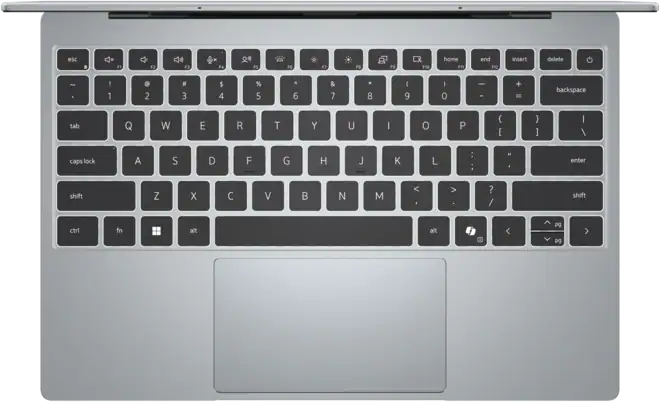
Intel Core 5 320 or higher options; 13.4-inch 2560 × 1600 touch screen; from around 2.2lb; up to 32GB configurable soldered RAM
Best for: Commuters, university students and office users who need a very small Windows computer.
Purchase context: Dell US listed starting configurations around $699–$799 when checked; prices and component choices change.
Pros: Very light and compact 13.4-inch design; High-resolution 120Hz-capable touch panel in listed configurations; Entry prices can undercut many premium laptops.
Cons: Basic 8GB RAM configuration is weak for long-term heavy multitasking; Only two USB-C-style ports in listed configurations; Small display may feel cramped for data-heavy work.
Intel Core Ultra Series 3 options; 16-inch class screen; optional 3K 120Hz OLED touch display; oversized haptic touchpad
Best for: Spreadsheet users, writers and creators who want desktop-like screen room in a mobile notebook.
Purchase context: Configuration and regional pricing vary; confirm the 2026 Intel Series 3 model.
Pros: Generous 16-inch workspace with premium OLED option; Modern Intel integrated graphics on higher variants; Distinctive broad touchpad and productivity-oriented layout.
Cons: Oversized touchpad may cause accidental clicks; Bigger chassis is less convenient in small bags; Some reviewers criticized the webcam and chassis flex.
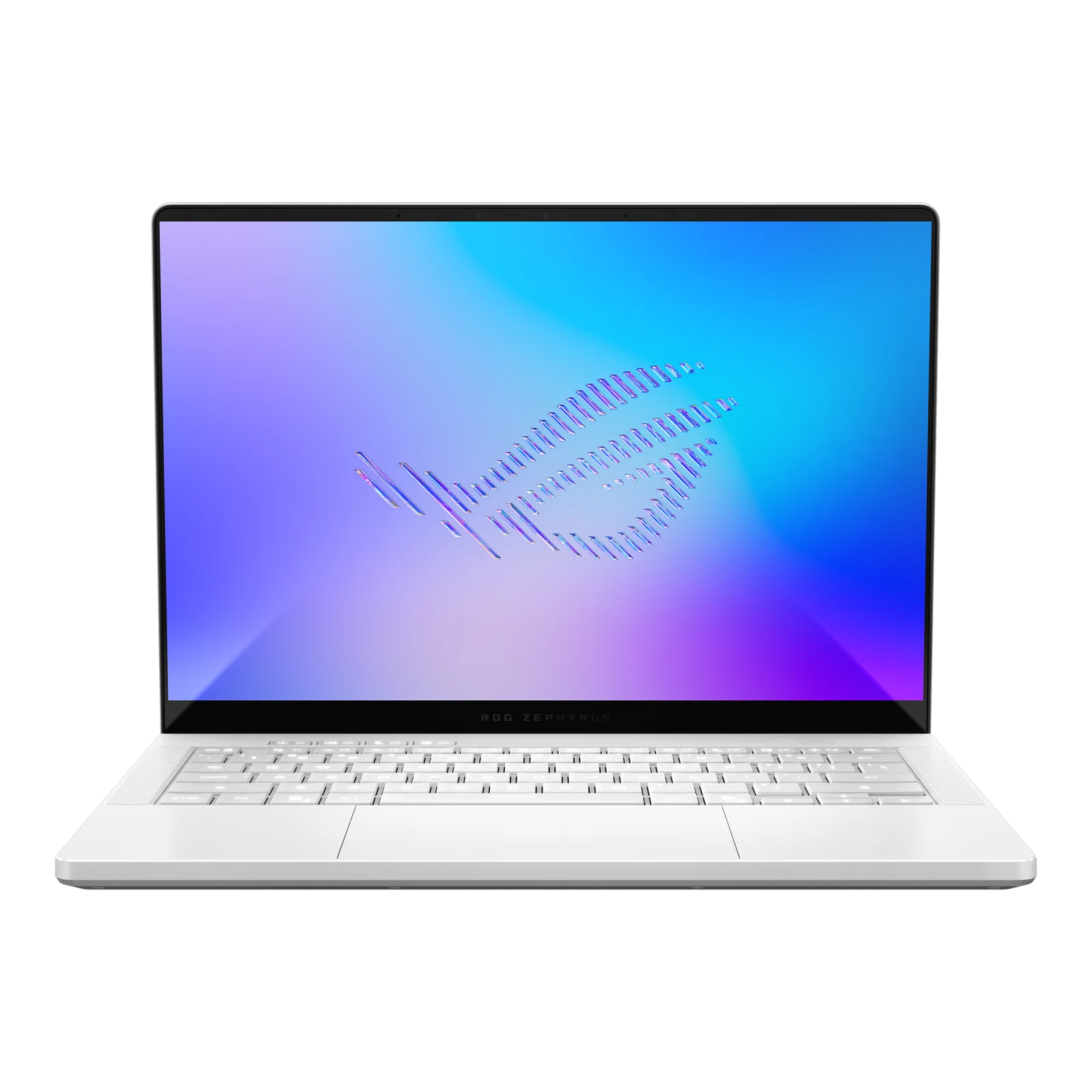
Intel Core Ultra 9 386H in published GU405 configs; NVIDIA RTX 5060–5080 options; 14-inch 2880 × 1800 120Hz OLED
Best for: Gamers, 3D artists and creators who need real NVIDIA graphics in a portable form.
Purchase context: High-end RTX 5080 configurations carry a substantial premium; check the precise GPU power and VRAM tier.
Pros: Dedicated RTX graphics for games and GPU workflows; Bright 3K 120Hz OLED screen with G-Sync; Relatively portable for a high-performance gaming notebook.
Cons: Premium price; fans and heat under extended load; GPU specification and 8GB/12GB/16GB VRAM differ sharply by tier; Soldered memory on many listings.
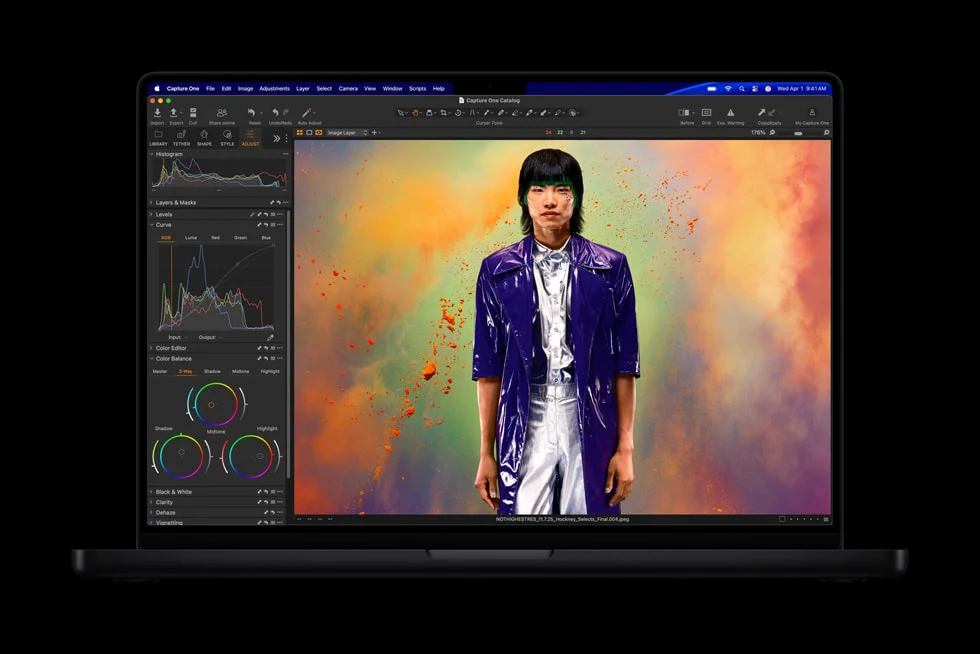
Apple M5 Pro; 14.2-inch Liquid Retina XDR; 1TB base storage; Thunderbolt 5, HDMI and SDXC; macOS
Best for: Video editors, photographers, developers and professionals with sustained compute-heavy workloads.
Purchase context: Apple announced the 14-inch M5 Pro starting at $2,199 in the US.
Pros: High-end CPU/GPU capacity in a portable pro chassis; Excellent XDR panel and unusually practical port selection; 1TB starting storage and strong official battery specification.
Cons: Expensive and fixed internal RAM/storage after purchase; Extra capability unnecessary for normal office use; Native Windows-only workflows need a separate solution.
13.5-inch high-resolution touch display; Intel Core Ultra Series 3; modular LPCAMM2 memory; 74Wh battery; DIY or prebuilt
Best for: Developers, Linux users and people who prize serviceability, modular I/O and longer-term upgrades.
Purchase context: Framework announced DIY pricing from $1,199 and prebuilt from $1,499, with actual prices/supply fluctuating.
Pros: Documented user-serviceable components and modular expansion ports; LPCAMM2 memory and upgradeable mainboard philosophy; Official Windows and Linux support paths.
Cons: Buy-in cost and upgrade parts may be expensive; Shipping availability may be uneven; Self-assembly requires care on DIY configurations.
Qualcomm Snapdragon X2 Plus X2P-42-100; Windows on Arm; 14-inch productivity chassis; 16GB/32GB soldered LPDDR5x
Best for: Mobile office and study users who prioritize efficient everyday Windows tasks and verified Arm-compatible applications.
Purchase context: Compare offers by exact HP product number and check app compatibility before purchase.
Pros: Power-efficient Qualcomm Snapdragon X2 Plus platform; 16GB and 32GB memory variants listed in official spec sheet; Well-suited to browser, communication and cloud-centric workloads.
Cons: Windows-on-Arm compatibility must be checked for specialist programs; Many memory and storage choices are fixed; Not intended to replace a discrete-GPU workstation.
At a Glance: Our 10 Best Laptops for 2026
| 2026 laptop | Editorial award | Score* | Primary tradeoff |
|---|---|---|---|
| Apple MacBook Air 13-inch (M5, 2026) | Best Overall for Most People | 8.6/10 | Only two Thunderbolt 4 ports, plus MagSafe and audio |
| Dell XPS 14 (DA14260, 2026) | Best Premium Windows All-Rounder | 8.4/10 | Expensive once upgraded |
| Lenovo Yoga 7i 2-in-1 Aura Edition Gen 11 (14-inch) | Best 2-in-1 Convertible | 8.3/10 | Heavier and more mechanically complex than some clamshells |
| ASUS Zenbook 14 OLED (UM3405GA, 2026) | Best Portable OLED Value | 8.4/10 | Regional configurations differ substantially |
| Dell XPS 13 (DX13260, 2026) | Best Compact Windows Value | 8.1/10 | Basic 8GB RAM configuration is weak for long-term heavy multitasking |
| Acer Swift 16 AI (2026) | Best Large-Screen Productivity | 8.1/10 | Oversized touchpad may cause accidental clicks |
| ASUS ROG Zephyrus G14 (GU405, 2026) | Best Gaming Laptop | 8.3/10 | Premium price; fans and heat under extended load |
| Apple MacBook Pro 14-inch (M5 Pro, 2026) | Best for Professional Creators | 8.6/10 | Expensive and fixed internal RAM/storage after purchase |
| Framework Laptop 13 Pro (Intel Core Ultra Series 3) | Best for Repairability and Linux | 8.5/10 | Buy-in cost and upgrade parts may be expensive |
| HP OmniBook 5 14 (14-he1000, 2026) | Best Battery-Focused Windows on Arm | 8.0/10 | Windows-on-Arm compatibility must be checked for specialist programs |
*These are our weighted editorial suitability scores, not laboratory benchmark results or ratings copied from another publication.
How We Evaluated the Laptops
We used six weighted criteria: workload suitability (30%), mobility (15%), documented display specifications and usability potential (15%), connectivity and feature usefulness (15%), long-term ownership and serviceability (10%), and configuration value (15%). The overall editorial score is a weighted sum of those category judgments. It is a decision aid, not an objective measurement. These scores should not be interpreted as a lab-derived hierarchy of speed, heat, color accuracy or runtime.
Where evidence is thin, we avoid made-up precision. Our evidence set includes manufacturer product and technical pages linked under each recommendation, available independent observations and clearly described purchase tradeoffs. This framework favors the best overall purchase for a broad audience: a specialist with an extraordinarily powerful GPU can score lower than a practical everyday computer despite being much faster at gaming or rendering. Awards like Best for Creators, Best Repairability and Best Gaming therefore matter more than tiny differences in the numeric scores.
Model control is essential. ASUS publishes multiple Zenbook 14 model codes; Dell offers dramatically different entry and flagship XPS configurations; Apple separates the M5, M5 Pro and M5 Max; and 2026 gaming GPU variants can have different power budgets and VRAM. Our claims apply only to the identified family and expressly named variant or option, not every laptop bearing the same brand. The purchase checklist below is part of the evaluation: if you cannot match a listing to the stated model, do not buy on the strength of this comparison.
External reviews used as qualitative checks come from established outlets including Ars Technica on the M5 MacBook Air, WIRED on the 2026 Swift 16 AI and PCWorld on Framework 13 Pro. Those publications’ measured or observed findings are theirs, not AsumeTech’s own tests.
Apple MacBook Air 13-inch (M5, 2026) — Best Overall for Most People
AsumeTech editorial score: 8.6/10. Key configuration: Apple M5; 13.6-inch 2560 × 1664 Liquid Retina; 16GB unified memory and 512GB SSD in the starting configuration; fanless macOS laptop.
The 13-inch M5 MacBook Air is the safest general-purpose recommendation here because its tradeoffs are unusually easy to understand. The starting configuration supplies 16GB of unified memory and a 512GB solid-state drive, avoiding two common entry-level compromises. Its M5 chip has headroom for a demanding browser workload, office documents, video calls and moderate photo or short-form video work. Apple’s official specifications confirm the 13.6-inch Liquid Retina screen, a 10-core CPU, an 8- or 10-core GPU depending on configuration, and the fanless chassis. It is portable enough to carry every day without planning around a large power brick.
The main advantage is consistency. Unlike a performance-focused Windows machine that may have dramatically different behavior between its basic and high-end configurations, the Air has a relatively clear starting proposition. Independent reviewers at Ars Technica report strong usability and all-day endurance, while noting that the leap over an M4 Air is incremental. That makes an existing discounted M4 Air a reasonable alternative when its memory and storage are equally suitable. The newer M5 is more convincing when replacing an older M1 or Intel notebook.
Do not interpret Apple’s advertised ‘up to 18 hours’ as a promise for your browser, editing apps or external monitor setup. That claim reflects a manufacturer-defined video workload; real battery life depends on brightness, apps and accessories. The other notable limits are the 60Hz screen, thin port selection and fixed configuration. A buyer using Windows-only programs, a discrete GPU, advanced 3D applications or multiple legacy USB devices should consider a different entry here rather than trying to adapt everything around macOS.
Our preferred purchase is the 16GB/512GB base model for general users, with a memory upgrade ahead of storage if long-running professional multitasking is important. Choose the 15-inch Air only if screen space clearly matters more than portability. This is the ‘buy it, use it and stop worrying about specifications’ option, not the ultimate gaming or sustained-rendering workstation.
Strengths and limitations
- Advantage: Quiet fanless design with reliable everyday responsiveness
- Advantage: 16GB RAM and 512GB SSD in the base version
- Advantage: Lightweight, bright display and strong battery-life evidence
- Consideration: Only two Thunderbolt 4 ports, plus MagSafe and audio
- Consideration: 60Hz IPS screen instead of OLED/high refresh
- Consideration: No user-upgradable memory or internal storage
Verify the exact configuration: Apple MacBook Air 13-inch (M5, 2026) official documentation · Independent review or comparison.
Dell XPS 14 (DA14260, 2026) — Best Premium Windows All-Rounder
AsumeTech editorial score: 8.4/10. Key configuration: Intel Core Ultra Series 3; 14-inch premium display options; up to 64GB soldered LPDDR5x in selected listings; Windows 11.
The 2026 XPS 14 is a compelling pick for people who need Windows but want the design ambition usually associated with high-end ultraportables. Dell’s DA14260 listing confirms Intel Core Ultra Series 3 choices, including Core Ultra 7 and more graphics-capable Ultra X-series configurations. Select configurations feature significantly more memory than mainstream thin laptops. This matters for professional multitasking, development environments, enormous spreadsheets and image-processing jobs that repeatedly exceed 16GB. Do not assume the cheapest listing has the screen or graphics in reviews of top configurations.
The 14-inch category is an effective compromise: noticeably more working space than a 13-inch screen while remaining easier to move than a 16-inch machine. It makes sense for people who dock to an external monitor at work yet want a useful screen when traveling. A higher-end integrated GPU may handle light creation tasks, but it is not an exact substitute for the discrete GeForce hardware in the Zephyrus G14. That distinction becomes important in heavy 3D rendering or gaming.
Dell offers several chip, display, memory and storage combinations under a similar marketing name. Before buying, match the specific order code and panel details to the price rather than trusting a generic XPS 14 review. Spend first on adequate RAM and a screen you enjoy using for hours. Avoid paying for a flagship processor if your workload is mostly web applications, office software and calls. Higher-powered variants may be expensive enough to compete with purpose-built creator laptops.
For a Windows-first buyer who values quality, up-to-date connectivity, a compact professional form and flexible high-end configurations, the XPS 14 is the premium choice. The weaknesses are cost, SKU complexity and limited owner upgrades. Our score reflects capability and versatility, not a claim that we measured thermal behavior or battery life ourselves.
Strengths and limitations
- Advantage: Modern Intel Core Ultra Series 3 options
- Advantage: Premium chassis and OLED configurations
- Advantage: Flexible CPU and memory choices
- Consideration: Expensive once upgraded
- Consideration: Exact display, graphics and storage depend on SKU
- Consideration: Soldered memory limits post-purchase upgrading
Verify the exact configuration: Dell XPS 14 (DA14260, 2026) official documentation · Independent review or comparison.
Lenovo Yoga 7i 2-in-1 Aura Edition Gen 11 (14-inch) — Best 2-in-1 Convertible
AsumeTech editorial score: 8.3/10. Key configuration: Intel Core Ultra Series 3; 360-degree hinge; optional 14-inch 2.8K 120Hz OLED touch panel; 70Wh battery; LPDDR5x memory.
The Yoga 7i 2-in-1 Gen 11 earns its place because a convertible can solve problems a conventional laptop simply cannot. Lenovo confirms a 360-degree hinge that moves between laptop, stand, tent and tablet orientations. It is useful for reading long PDFs, annotating lecture slides, signing documents and showing a client work across a table. Those advantages are compelling only when you actually use touch or a pen; anyone who types all day may prefer a simpler, lighter clamshell.
Lenovo’s 14IPH11 reference documents show Intel Core Ultra Series 3 processors, 16GB to 32GB soldered memory in different options, a 70Wh battery, and an available 2880 × 1800 OLED touchscreen with an up-to-120Hz refresh rate. Some base variants have different displays and chips. A pen may depend on region or bundle. Buyers should ask the seller to confirm the complete machine type rather than presume every Yoga 7i Gen 11 has the top panel and included stylus.
This is also an unusually practical form factor for people who alternate desk work and travel. In laptop position it behaves like a standard Windows computer; on a narrow train tray or a crowded conference table, folding it into tent mode can make video and presentation viewing easier. Windows app compatibility remains a meaningful benefit over a tablet-first alternative. However, the hinges and touchscreen add considerations around weight and long-term hardware wear. They are acceptable compromises when the convertible modes earn their keep.
For students, a midrange CPU with enough RAM is preferable to overspending on a high-end chip while accepting a poor screen. Check the exact port list, stylus compatibility and warranty, too. The Yoga is our convertible winner rather than our overall winner because not everyone benefits from a folding display, and not every configuration delivers the same visual experience.
Strengths and limitations
- Advantage: 360-degree convertible design and touch-first workflow
- Advantage: Available high-resolution OLED and pen support
- Advantage: Useful range of productivity-focused CPU and memory configurations
- Consideration: Heavier and more mechanically complex than some clamshells
- Consideration: Pen and premium panel may be configuration-dependent
- Consideration: Memory is soldered on Lenovo’s PSREF configurations
Verify the exact configuration: Lenovo Yoga 7i 2-in-1 Aura Edition Gen 11 (14-inch) official documentation · Additional technical source.
ASUS Zenbook 14 OLED (UM3405GA, 2026) — Best Portable OLED Value
AsumeTech editorial score: 8.4/10. Key configuration: Ryzen AI 9 465 configuration; 14-inch 1920 × 1200 OLED touch; magnesium-aluminum chassis; AMD integrated graphics.
ASUS uses similar Zenbook names across multiple hardware generations, so model identity is critical. The Zenbook 14 UM3405GA is supported by ASUS’s April 2026 US Zenbook lineup announcement, which lists a Ryzen AI 9 465 processor and a 14-inch OLED touchscreen. That configuration should not be confused with the UM3406GA, which ASUS describes with a different Ryzen AI processor. Both serve the same broad purpose but are not interchangeable spec sheets. Read the exact suffix on the product listing.
The attraction is straightforward: a 14-inch OLED makes movies, photos and contrast-heavy interfaces look vibrant without moving to a 16-inch chassis. The Ryzen AI platform is suited to everyday productivity and moderate creative work. However, a gorgeous OLED should not distract from memory, fan-noise reports, port placement or post-sales support. A display can be excellent and a laptop can still be the wrong computer if you need a specialized professional GPU or multiple virtual machines.
Our value positioning is conditional, not based on assuming an unverified discount. At a competitive local price, the Zenbook can offer a particularly pleasant screen-to-weight combination. At the same price as a much better-equipped XPS or a deeply discounted MacBook Air, it is less obvious. Compare memory and storage line by line with competing offers; manufacturer pricing is a starting point, not a universal street price.
Consider the Zenbook if Windows software is essential and OLED image quality matters more to you than peak rendering performance. For static browser and writing work, test your comfort with OLED reflections and the panel’s brightness settings. Our recommendation focuses on the documented UM3405GA configuration and should be rechecked against the region-specific product code at purchase.
Strengths and limitations
- Advantage: OLED contrast and color without a bulky gaming body
- Advantage: AMD Ryzen AI-powered configuration
- Advantage: Slim, everyday-work friendly design
- Consideration: Regional configurations differ substantially
- Consideration: Not designed for demanding discrete-GPU workflows
- Consideration: Check soldered-RAM and display options before paying
Verify the exact configuration: ASUS Zenbook 14 OLED (UM3405GA, 2026) official documentation · Additional technical source.
Dell XPS 13 (DX13260, 2026) — Best Compact Windows Value
AsumeTech editorial score: 8.1/10. Key configuration: Intel Core 5 320 or higher options; 13.4-inch 2560 × 1600 touch screen; from around 2.2lb; up to 32GB configurable soldered RAM.
The reworked 2026 XPS 13 is a genuinely interesting entry because Dell pairs a slim aluminum chassis and sharp 13.4-inch touchscreen with configurations that start below many flagship prices. Dell’s DX13260 listing confirms Intel Core 5 320 as a baseline option, a 2.5K 30–120Hz touch display on the selected configuration, and a starting weight near one kilogram. That makes it appealing if a machine spends more time in a backpack than on a fixed desk.
Price is only half the story. Dell also offers an 8GB RAM base configuration. That can be adequate for light tasks but is a poor match for 2026 buyers who keep many browser tabs, collaboration tools and office applications open simultaneously. We recommend choosing at least 16GB RAM where available. Because memory is integrated into the design, an apparently cheap 8GB offer can become false economy when it constrains the next several years of ownership.
Compared with the XPS 14, the XPS 13 makes a clear trade: smaller working surface and fewer connections for easier portability and a lower entry price. If you spend hours comparing datasets or editing timelines, the 14-inch screen space can outweigh a few hundred grams. If you commute daily and connect to a proper monitor at your desk, the 13-inch chassis makes much more sense. Another detail is the sparse ports: anyone with USB-A peripherals, a memory card or wired Ethernet will need a hub or adapter.
The XPS 13 is our compact-value winner when bought in a sensible memory/storage configuration and at a competitive price. We are not comparing every Dell order code as identical, and we did not run independent battery-duration tests. Check Dell’s actual cart configuration, warranty, availability and return policy before making a final decision.
Strengths and limitations
- Advantage: Very light and compact 13.4-inch design
- Advantage: High-resolution 120Hz-capable touch panel in listed configurations
- Advantage: Entry prices can undercut many premium laptops
- Consideration: Basic 8GB RAM configuration is weak for long-term heavy multitasking
- Consideration: Only two USB-C-style ports in listed configurations
- Consideration: Small display may feel cramped for data-heavy work
Verify the exact configuration: Dell XPS 13 (DX13260, 2026) official documentation · Independent review or comparison.
Acer Swift 16 AI (2026) — Best Large-Screen Productivity
AsumeTech editorial score: 8.1/10. Key configuration: Intel Core Ultra Series 3 options; 16-inch class screen; optional 3K 120Hz OLED touch display; oversized haptic touchpad.
Plenty of laptops are optimized around traveling light. The 2026 Swift 16 AI prioritizes having enough space to work. Acer announced configurations with Intel Core Ultra Series 3 processors and an optional 3K 120Hz OLED touchscreen, plus a particularly large haptic touchpad. A 16-inch workspace is easier to use for documents next to a browser, multicolumn spreadsheets and modest photo/video timelines than the 13-inch machines in this guide.
That does not make it an automatic winner for every professional. The unusually broad touchpad is a design gamble. WIRED’s April 2026 review praised the OLED display, performance and battery life while flagging unintended clicks on the touchpad, a disappointing webcam and some chassis flex. These are important real-world drawbacks precisely because manufacturer specifications cannot reveal them. We reflect the independent findings rather than claiming we ran the same tests.
The Swift is particularly attractive when you work from several locations but rarely operate from an airplane tray. A larger screen can reduce the need for a separate monitor, although the physical footprint takes more room on desks and in bags. A backlit keyboard with generous spacing can be useful during long writing sessions; anyone who prefers an external mouse may simply avoid the touchpad concern. Creative users should confirm the panel type and color specifications on the exact SKU, since OLED is not universal across the family.
Our recommendation is conditional on interface preference. If you can try the touchpad before buying, do so. If you mostly use a mouse and want a beautiful expansive canvas, the Swift 16 AI could be ideal. If you travel constantly or often use your laptop in tight spaces, the XPS 13, Zenbook 14 or MacBook Air is the more rational shape.
Strengths and limitations
- Advantage: Generous 16-inch workspace with premium OLED option
- Advantage: Modern Intel integrated graphics on higher variants
- Advantage: Distinctive broad touchpad and productivity-oriented layout
- Consideration: Oversized touchpad may cause accidental clicks
- Consideration: Bigger chassis is less convenient in small bags
- Consideration: Some reviewers criticized the webcam and chassis flex
Verify the exact configuration: Acer Swift 16 AI (2026) official documentation · Independent review or comparison.
ASUS ROG Zephyrus G14 (GU405, 2026) — Best Gaming Laptop
AsumeTech editorial score: 8.3/10. Key configuration: Intel Core Ultra 9 386H in published GU405 configs; NVIDIA RTX 5060–5080 options; 14-inch 2880 × 1800 120Hz OLED.
The Zephyrus G14 answers the question mainstream thin laptops struggle with: what if gaming, GPU-based content creation or local CUDA work are central needs? ASUS lists 2026 GU405 configurations combining a Core Ultra 9 386H with NVIDIA laptop GPUs ranging from RTX 5060 through RTX 5080. That is a fundamentally different capability class from integrated graphics. Its 14-inch 3K OLED display runs up to 120Hz, with gamer-oriented features including G-Sync and MUX/graphics switching support.
Do not buy by model name alone. The RTX 5060 listings use 8GB of graphics memory, the RTX 5070 Ti moves to 12GB in ASUS’s spec table, and higher-end RTX 5080 variants list 16GB. Performance and suitability for large models, high-resolution texture packs and GPU-accelerated rendering differ meaningfully among them. Laptop GPU wattage and cooling also affect real throughput. A low-price G14 is not equivalent to the premium configuration reviewed elsewhere.
An OLED panel with a high refresh rate is attractive for both single-player games and creative previews, while the 14-inch chassis is easier to travel with than a typical 16- or 18-inch gaming laptop. The sacrifices are predictable: a higher purchase price, louder cooling under gaming loads, and a smaller performance envelope than large machines with more thermal room. It is also not the best choice for maximum unplugged endurance if the GPU is frequently active.
We recommend the G14 for people who can clearly name the games or GPU programs that justify its price. For light gaming, streaming and office productivity, a MacBook Air, XPS or Zenbook is much better value. For serious 3D work or game development, prioritize the GPU tier, the actual VRAM requirement and the manufacturer’s configured power limit over cosmetic differences between listings.
Strengths and limitations
- Advantage: Dedicated RTX graphics for games and GPU workflows
- Advantage: Bright 3K 120Hz OLED screen with G-Sync
- Advantage: Relatively portable for a high-performance gaming notebook
- Consideration: Premium price; fans and heat under extended load
- Consideration: GPU specification and 8GB/12GB/16GB VRAM differ sharply by tier
- Consideration: Soldered memory on many listings
Verify the exact configuration: ASUS ROG Zephyrus G14 (GU405, 2026) official documentation · Independent review or comparison.
Apple MacBook Pro 14-inch (M5 Pro, 2026) — Best for Professional Creators
AsumeTech editorial score: 8.6/10. Key configuration: Apple M5 Pro; 14.2-inch Liquid Retina XDR; 1TB base storage; Thunderbolt 5, HDMI and SDXC; macOS.
The 14-inch M5 Pro MacBook Pro is aimed at the buyer who needs a computer to remain capable when the workload becomes difficult. Apple introduced M5 Pro and M5 Max models in March 2026, with the Pro configuration starting at 1TB of storage. Its XDR display, dedicated memory bandwidth and significantly stronger processor/GPU ceiling make it a different proposition from the passively cooled MacBook Air. Apple’s announcement also confirms Thunderbolt 5, HDMI and SDXC connectivity, which reduces everyday adapter friction for photographers and editors.
The key question is whether your software can use the performance. For timeline rendering, large creative projects, professional photography batches or complex compilation work, paying for a Pro-class chip may be sensible. For browser research, spreadsheets and email, it will rarely produce an equivalent productivity gain over a well-equipped Air. A 14-inch Pro still has physical cooling limits relative to a large desktop workstation, but its active design is better suited to sustained demanding work than the Air’s fanless enclosure.
The M5 Pro model is not interchangeable with the even more expensive M5 Max. Apple publishes distinct maximum memory and GPU configurations; buyers should choose according to their actual app and memory needs, not a desire to own the biggest model. Our pick is the 14-inch M5 Pro as a balanced creator notebook. If you always work at a desk or rely on Windows-specific renderers, compare the cost against a desktop plus a cheaper travel laptop.
Battery-life figures of up to 24 hours across the new Pro family are manufacturer claims under defined tests and not what to expect while continuously rendering video. Confirm exact model-level claims and the ports you need. The Pro is a premium specialist recommendation, not our Best Overall, because most people should save a substantial amount by choosing the Air or an equally capable Windows notebook.
Strengths and limitations
- Advantage: High-end CPU/GPU capacity in a portable pro chassis
- Advantage: Excellent XDR panel and unusually practical port selection
- Advantage: 1TB starting storage and strong official battery specification
- Consideration: Expensive and fixed internal RAM/storage after purchase
- Consideration: Extra capability unnecessary for normal office use
- Consideration: Native Windows-only workflows need a separate solution
Verify the exact configuration: Apple MacBook Pro 14-inch (M5 Pro, 2026) official documentation · Additional technical source.
Framework Laptop 13 Pro (Intel Core Ultra Series 3) — Best for Repairability and Linux
AsumeTech editorial score: 8.5/10. Key configuration: 13.5-inch high-resolution touch display; Intel Core Ultra Series 3; modular LPCAMM2 memory; 74Wh battery; DIY or prebuilt.
The Framework Laptop 13 Pro belongs on this list because it offers a fundamentally different ownership proposition. Framework redesigned the 13 Pro around Intel Core Ultra Series 3, LPCAMM2 memory, a 74Wh battery, a high-resolution 13.5-inch touch display and a more refined aluminum construction. More importantly, it keeps the company’s emphasis on replaceable modules, expansion cards, documented repairs and separately available components. That matters when a damaged port, aging battery or future processor upgrade would force a conventional laptop into costly service or replacement.
Repairability is not automatically cheaper in the first year. Framework’s own launch communication named a $1,199 starting point for the DIY Edition and $1,499 for prebuilt configurations, and its marketplace now reflects configuration and inventory differences. Ars Technica’s independent July 2026 review admired the battery improvements while criticizing the cost. PCWorld likewise praised the assembly experience and usability but raised concerns around buying delays and changing prices. Those observations are a necessary counterweight to the attractive concept.
For developers, the Linux focus is another genuine advantage. Framework publishes driver and firmware resources and offers Ubuntu-oriented options for the model, which is meaningful if your daily workflow involves terminals, containers, local development environments or avoiding vendor-specific utilities. Users still need to check their favorite distribution, peripheral and fingerprint-reader support. Repairability also requires an owner willing to source parts and follow service guides.
Choose Framework if the ability to fix, reconfigure and keep a computer running matters enough to outweigh a higher upfront price. It will not beat every competing premium laptop on raw cost-to-performance. We value its ownership model highly, but do not pretend an upgradeable design cancels every expense or that every user needs it.
Strengths and limitations
- Advantage: Documented user-serviceable components and modular expansion ports
- Advantage: LPCAMM2 memory and upgradeable mainboard philosophy
- Advantage: Official Windows and Linux support paths
- Consideration: Buy-in cost and upgrade parts may be expensive
- Consideration: Shipping availability may be uneven
- Consideration: Self-assembly requires care on DIY configurations
Verify the exact configuration: Framework Laptop 13 Pro (Intel Core Ultra Series 3) official documentation · Independent review or comparison.
HP OmniBook 5 14 (14-he1000, 2026) — Best Battery-Focused Windows on Arm
AsumeTech editorial score: 8.0/10. Key configuration: Qualcomm Snapdragon X2 Plus X2P-42-100; Windows on Arm; 14-inch productivity chassis; 16GB/32GB soldered LPDDR5x.
HP’s OmniBook 5 14 is the efficiency-first Windows alternative in this list. The 14-he1000 series, which HP dates to March 2026, uses Qualcomm’s Snapdragon X2 Plus processor and offers 16GB and 32GB onboard LPDDR5x configurations. It is designed for the browser, communication, documents and mixed online productivity that fill most workdays. The integrated neural processor is advertised for AI-assisted tasks, but having a fast NPU does not mean every application uses it meaningfully.
Windows on Arm is the defining consideration. Many mainstream applications are now available natively or can run through compatibility mechanisms, but specialized hardware drivers, older enterprise tools, plug-ins and games can still be problematic. Before purchasing, list your five most important programs, check each vendor’s support information and test any required printer, VPN or security client. That exercise matters more than marketing slides about AI performance.
A light 14-inch notebook with efficient silicon can be appealing for frequent travelers and university users, provided they do not need a discrete graphics processor. HP’s older OmniBook 5 Snapdragon announcement made dramatic battery claims for earlier generations, but those figures should not be applied automatically to the newer X2 Plus 14-he1000. The exact SKU, display technology, refresh rate and usage pattern determine real endurance. We therefore describe battery positioning without inventing an independently measured runtime for this specific 2026 machine.
We recommend the OmniBook 5 when compatibility is confirmed and the price is attractive relative to x86 Windows rivals. If your software is unpredictable, the Dell XPS 13 is a safer conventional Windows alternative. If you need CUDA for local AI or a gaming GPU, the Zephyrus is far more appropriate. The OmniBook’s strength is a specific mobile workflow, not universal compatibility.
Strengths and limitations
- Advantage: Power-efficient Qualcomm Snapdragon X2 Plus platform
- Advantage: 16GB and 32GB memory variants listed in official spec sheet
- Advantage: Well-suited to browser, communication and cloud-centric workloads
- Consideration: Windows-on-Arm compatibility must be checked for specialist programs
- Consideration: Many memory and storage choices are fixed
- Consideration: Not intended to replace a discrete-GPU workstation
Verify the exact configuration: HP OmniBook 5 14 (14-he1000, 2026) official documentation · Additional technical source.
How to Choose a Laptop in Late 2026
Start with the operating system and your irreplaceable apps
Do you require a specific version of Microsoft Excel with extensions, a Windows-only accounting system, a custom corporate VPN, a CAD package, a macOS audio application or an NVIDIA CUDA library? That answer can eliminate half the market before you look at a display. Modern MacBooks are excellent machines, but they do not natively run every Windows tool. Windows on Arm offers efficient mobile hardware but requires more careful checking for driver-heavy and specialist software. Traditional Intel or AMD Windows is typically the least adventurous compatibility choice.
Spend on the right memory and storage before prestige
For general 2026 work, 16GB is a sensible baseline; choose 24GB or 32GB if you juggle many applications, virtual machines, long browser sessions or demanding creative files. Eight gigabytes can work for simple tasks but leaves less headroom for ownership over several years. A 512GB SSD is convenient for a typical mixed-workload laptop, although cloud-first users can survive with less. Serious video editors, large game libraries and local AI datasets need to calculate storage by project, not just by device size. In many thin machines RAM cannot be upgraded later, so a low initial price can lock in a compromise.
Screen size matters more than many processor upgrades
Thirteen-inch models excel on crowded desks, aircraft trays and daily commutes. Fourteen inches balances a useful working canvas with portability. Sixteen inches improves simultaneous document viewing and timeline work, but the footprint is a real travel cost. OLED offers strong contrast and attractive image quality; LCD often remains the sensible option for people prioritizing practical brightness, price or long static-screen work. High refresh rates make scrolling and motion feel smoother, while the benefit can be smaller for static documents. Prioritize a comfortable brightness level, keyboard and trackpad over a spec-sheet superlative that you rarely notice.
Understand what battery numbers actually mean
Manufacturer endurance figures usually come from controlled media playback or productivity benchmarks under specified brightness and application settings. They are not promises for dozens of browser tabs, a 4K external monitor, video conferences or gaming. Reviews performed by an independent outlet can help, but results still depend on the exact SKU, display, software and test protocol. An OLED panel and high-refresh mode can draw differently from a lower-resolution LCD. For travel, think about battery capacity, charging-port convenience, supported USB-C power and whether your performance changes noticeably away from the outlet.
Integrated versus dedicated graphics
Modern integrated GPUs are perfectly appropriate for office work, browsers, light photo editing and many casual games. Dedicated RTX graphics become relevant for demanding modern gaming, GPU render engines and particular AI tools. A laptop NVIDIA chip is not equivalent to its desktop namesake, and even two laptops with the same GPU label may differ because of power limits and cooling. The Zephyrus G14 illustrates the problem: RTX 5060 and RTX 5080 variants serve quite different budgets and GPU-memory needs. Do not pay a large gaming premium unless software you really use will benefit.
Check ports, ergonomics, repairability and support
A thinner laptop may omit USB-A, HDMI or a card reader. Add the cost and inconvenience of adapters to your calculation. Confirm a webcam is adequate for daily calls rather than trusting megapixel marketing. Investigate manufacturer warranty conditions in your country, replacement batteries, and whether the keyboard layout is right for you. Framework is unusually transparent about repairs and parts; conventional laptops can still be worth buying, but it is smart to know the realistic service path. If you work remotely, a reliable machine with next-day service can be worth more than a marginally faster processor.
Do not confuse a high rank with the right job fit
Our MacBook Air pick is a general recommendation. A student sketching diagrams should consider the Yoga; a Blender or CUDA user should consider the Zephyrus; a Linux developer who fixes their own hardware may strongly prefer Framework. An XPS 13 with 16GB RAM can be a more useful real-world purchase than a premium model configured with inadequate memory. Score differences under half a point should not override compatibility, local pricing, service availability or personal ergonomics.
Other Laptops We Considered
Apple MacBook Neo: a more affordable path into macOS, but buyers should weigh its memory, port and storage compromises against the M5 Air before choosing on price alone. ASUS Zenbook Duo: its two screens can be genuinely useful for people who work across multiple documents, although the more complex setup is not universal value. Samsung Galaxy Book 6 Ultra: a possible premium Windows creator alternative where locally available; compare actual GPU configuration and pricing against the XPS and G14. Framework Laptop 13 (non-Pro): worth considering when an upgrade-friendly computer matters but the newer Pro premium is hard to justify. These are alternatives, not substitutes silently added to our ten scored main products.
Frequently Asked Questions
What is the single best laptop for most people in 2026?
For people happy with macOS, the 13-inch MacBook Air M5 is our overall recommendation. Its 16GB/512GB starting configuration, efficient fanless design and broad everyday capability are persuasive. For buyers who need Windows, the Dell XPS 14 is the premium general recommendation, while the 16GB XPS 13 is a more price-conscious portable option.
How much RAM do I need in 2026?
We prefer 16GB for standard ownership and 24GB–32GB for demanding multitasking or professional work. Buy more only when the software genuinely requires it, but note that soldered memory in a thin notebook usually cannot be added later.
Which laptop is best for gaming or local NVIDIA AI software?
The 2026 ASUS ROG Zephyrus G14 is our gaming pick because it offers a dedicated NVIDIA RTX GPU. Check the exact model, GPU wattage, graphics memory and cooling before paying. Integrated graphics laptops are not equivalent for workflows that require CUDA or large dedicated GPU memory.
Should I buy a MacBook Pro instead of a MacBook Air?
Only if your work justifies sustained compute performance, the XDR display, extra ports and higher possible memory capacity. The M5 Pro is a better fit for demanding creative workloads. The Air remains better value for most browser, office, study and lighter creative tasks.
Is Windows on Arm safe for everyone?
No. Windows on Arm can be a good platform for browser-first users, but you should verify each essential application and hardware driver, particularly legacy business software, specialized VPNs, accessories and games. If compatibility is uncertain, an Intel or AMD Windows laptop is the lower-risk option.
Does a 2026 laptop need a dedicated AI chip?
Not necessarily. An NPU can accelerate supported local workloads, but the presence of a high TOPS figure does not automatically improve ordinary typing, web browsing or cloud AI tools. Prioritize real applications, RAM, screen quality and support over AI badge marketing.
How often should I update this buying guide?
Major new chip families, independent model tests, retail availability and meaningful price changes should trigger a review. This comparison is dated October 12, 2026; refresh model-level information before making a purchase months later.
Our Verdict
The MacBook Air M5 has the strongest broad everyday package, while the XPS 14 is the most compelling premium Windows counterpart. Yoga 7i buyers are paying for a practical convertible workflow; Zenbook 14 buyers are prioritizing OLED portability; and XPS 13 buyers are choosing compact value. The Swift 16 AI gives large-screen workers more room, though its unique touchpad deserves a hands-on try. Choose the Zephyrus G14 when GPU capability is essential, the M5 Pro MacBook Pro when professional macOS creation warrants the higher price, Framework 13 Pro when repairability changes the ownership equation, or the HP OmniBook 5 when you understand and accept Windows on Arm. The best purchase is the one where those choices match your actual workload.
