

Updated October 13, 2026. The best portable monitor is not simply the one with the highest resolution. A travel display must fit your bag, connect reliably to your laptop, stay readable on a small desk and justify how much battery power it uses. Our overall choice is the ASUS ZenScreen MB16QHG for its balanced 16:10 QHD workspace and high-refresh capability. But a Dell P1425 is easier to recommend for basic travel, Lenovo and ViewSonic excel at touch, and the ViewSonic VX1655-4K-OLED is best for serious display quality.
Quick picks: the 10 portable monitors
- ASUS ZenScreen MB16QHG — Best balanced QHD travel display; editorial score 9.1/10
- Lenovo ThinkVision M14t Gen 2 — Best compact pen-and-touch monitor; editorial score 9/10
- ViewSonic VX1655-4K-OLED — Best portable OLED for creatives; editorial score 8.9/10
- Dell Pro 14 Plus P1425 — Best straightforward business travel screen; editorial score 8.7/10
- ViewSonic TD1656-2K — Best 16-inch touchscreen workspace; editorial score 8.8/10
- Arzopa Z3FC — Best affordable QHD high-refresh option; editorial score 8.8/10
- MSI PRO MP165 E6 — Best low-cost office extra screen; editorial score 8.2/10
- espresso Pro 15 — Best premium magnetic stand and touch; editorial score 8.8/10
- LG gram +view 16MQ70 — Best lightweight 16:10 companion; editorial score 8.4/10
- ASUS ZenScreen OLED MQ16AH — Best thin OLED alternative; editorial score 8.5/10
Comparison chart
| ID | Monitor | Display | Best for | Editorial score |
|---|---|---|---|---|
| 1 | ASUS ZenScreen MB16QHG | 16-inch 2560×1600 IPS, 16:10, up to 120Hz | Best balanced QHD travel display | 9.1/10 |
| 2 | Lenovo ThinkVision M14t Gen 2 | 14-inch 2240×1400 IPS, 16:10, touch with stylus | Best compact pen-and-touch monitor | 9/10 |
| 3 | ViewSonic VX1655-4K-OLED | 15.6-inch 3840×2160 OLED, 60Hz, USB-C and mini HDMI | Best portable OLED for creatives | 8.9/10 |
| 4 | Dell Pro 14 Plus P1425 | 14-inch 1920×1200 IPS, 60Hz, two USB-C ports | Best straightforward business travel screen | 8.7/10 |
| 5 | ViewSonic TD1656-2K | 16-inch 2560×1600 IPS, 10-point touch, 60Hz | Best 16-inch touchscreen workspace | 8.8/10 |
| 6 | Arzopa Z3FC | 16.1-inch 2560×1440 IPS, 180Hz, USB-C/mini HDMI | Best affordable QHD high-refresh option | 8.8/10 |
| 7 | MSI PRO MP165 E6 | 15.6-inch 1920×1080 IPS, 60Hz, HDMI and USB-C | Best low-cost office extra screen | 8.2/10 |
| 8 | espresso Pro 15 | 15.6-inch 3840×2160 LCD touchscreen, 60Hz | Best premium magnetic stand and touch | 8.8/10 |
| 9 | LG gram +view 16MQ70 | 16-inch 2560×1600 IPS, dual USB-C and folio cover | Best lightweight 16:10 companion | 8.4/10 |
| 10 | ASUS ZenScreen OLED MQ16AH | 15.6-inch FHD OLED with deep blacks and rapid response | Best thin OLED alternative | 8.5/10 |
How we scored them
Our portable-monitor research score gives 25% to clarity and picture quality, 20% to ergonomics and travel practicality, 17% to connectivity and power compatibility, 13% to usability and input features, 10% to build design, and 15% to value. Each rating is an editorial interpretation of the available evidence, not an instrument-measured test score. A difference of 0.1 or 0.2 points is not a meaningful laboratory distinction. We do not treat marketing refresh-rate claims as guarantees for every connected device.
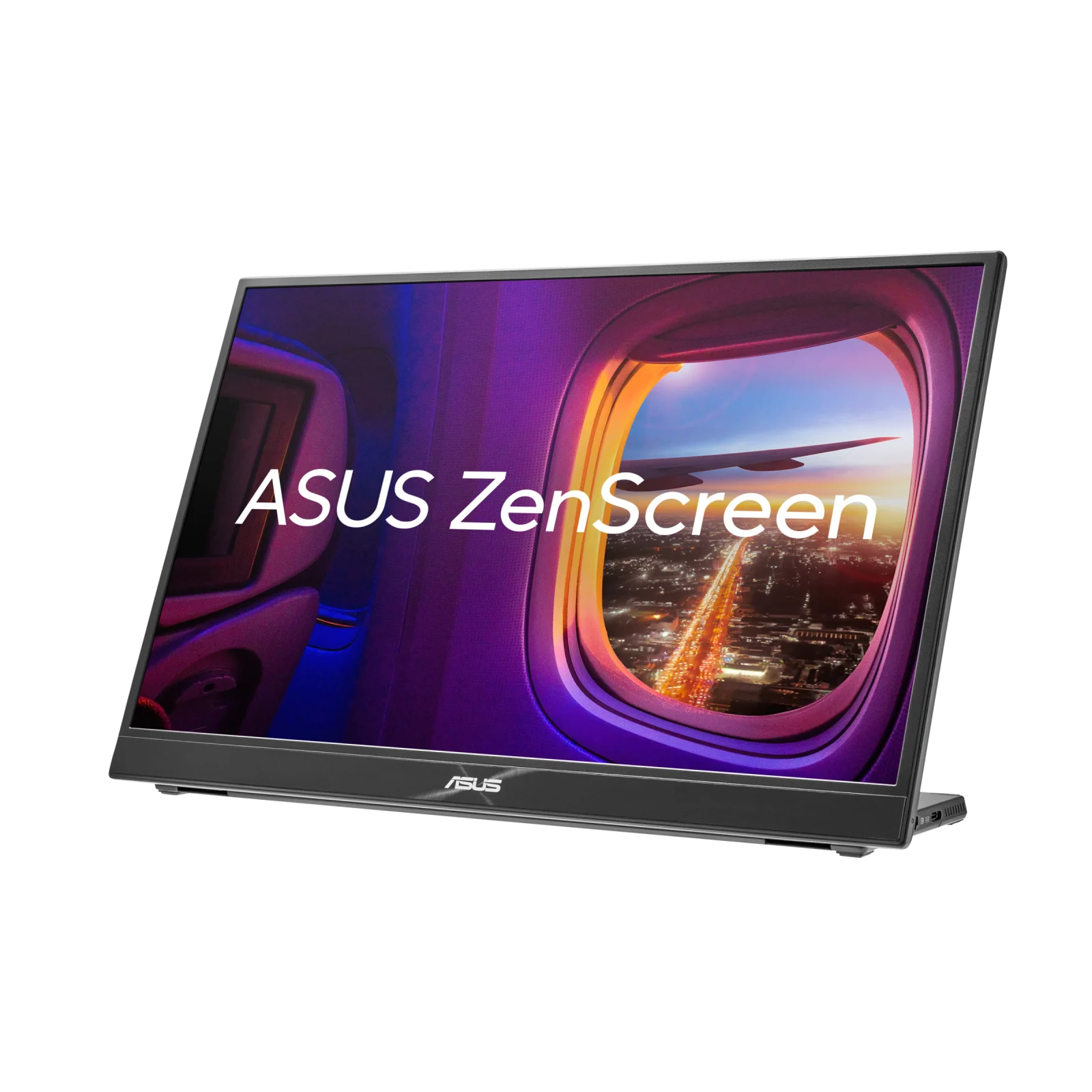
1. ASUS ZenScreen MB16QHG — Best balanced QHD travel display
Research-based score: 9.1/10. Display: 16-inch 2560×1600 IPS, 16:10, up to 120Hz.
Sharper and smoother than ordinary FHD travel screens; its 16:10 canvas is excellent for code and documents. Laptop professionals who want one premium general-purpose screen. This selection makes sense when that particular need is a higher priority than the biggest panel or the lowest price. Before ordering, compare the exact model and SKU on the seller’s listing with the name here; similar branded families can differ substantially in ports, touch, resolution and refresh.
Strengths and trade-offs
Why choose it: Sharper and smoother than ordinary FHD travel screens; its 16:10 canvas is excellent for code and documents. The practical advantage is less friction carrying or positioning a second screen while doing actual work, rather than merely having another gadget in a bag.
Reasons to hesitate: Costs more than basic 1080p models and requires a capable host connection to benefit from high refresh. If that limitation matches your daily workflow, compare the other models above rather than assuming the higher editorial score always wins.
Who should buy it?
Laptop professionals who want one premium general-purpose screen. Think about whether you normally edit documents, review images, deliver presentations or play games before prioritizing resolution, refresh, touch or portability. A portable screen is valuable only when you will actually set it up and use it consistently.
Our verdict: The ASUS ZenScreen MB16QHG earns its place as best balanced qhd travel display. We recommend checking the listed connector types, bundled cables, display/power requirements and current warranty before purchase.
2. Lenovo ThinkVision M14t Gen 2 — Best compact pen-and-touch monitor
Research-based score: 9/10. Display: 14-inch 2240×1400 IPS, 16:10, touch with stylus.
A highly practical 14-inch companion with sharp text, touch input, pressure-capable pen and two USB-C ports. Business travelers, annotators and office-first users. This selection makes sense when that particular need is a higher priority than the biggest panel or the lowest price. Before ordering, compare the exact model and SKU on the seller’s listing with the name here; similar branded families can differ substantially in ports, touch, resolution and refresh.
Strengths and trade-offs
Why choose it: A highly practical 14-inch companion with sharp text, touch input, pressure-capable pen and two USB-C ports. The practical advantage is less friction carrying or positioning a second screen while doing actual work, rather than merely having another gadget in a bag.
Reasons to hesitate: Smaller image area and limited height-adjustment compared with premium standalone stands. If that limitation matches your daily workflow, compare the other models above rather than assuming the higher editorial score always wins.
Who should buy it?
Business travelers, annotators and office-first users. Think about whether you normally edit documents, review images, deliver presentations or play games before prioritizing resolution, refresh, touch or portability. A portable screen is valuable only when you will actually set it up and use it consistently.
Our verdict: The Lenovo ThinkVision M14t Gen 2 earns its place as best compact pen-and-touch monitor. We recommend checking the listed connector types, bundled cables, display/power requirements and current warranty before purchase.

3. ViewSonic VX1655-4K-OLED — Best portable OLED for creatives
Research-based score: 8.9/10. Display: 15.6-inch 3840×2160 OLED, 60Hz, USB-C and mini HDMI.
The 4K OLED panel pairs true black with unusually high pixel density and vibrant color, useful for visual review and media work. Photographers and editors who value portable image quality. This selection makes sense when that particular need is a higher priority than the biggest panel or the lowest price. Before ordering, compare the exact model and SKU on the seller’s listing with the name here; similar branded families can differ substantially in ports, touch, resolution and refresh.
Strengths and trade-offs
Why choose it: The 4K OLED panel pairs true black with unusually high pixel density and vibrant color, useful for visual review and media work. The practical advantage is less friction carrying or positioning a second screen while doing actual work, rather than merely having another gadget in a bag.
Reasons to hesitate: The glossy-looking OLED experience can show reflections, is costly, and static-image retention deserves care. If that limitation matches your daily workflow, compare the other models above rather than assuming the higher editorial score always wins.
Who should buy it?
Photographers and editors who value portable image quality. Think about whether you normally edit documents, review images, deliver presentations or play games before prioritizing resolution, refresh, touch or portability. A portable screen is valuable only when you will actually set it up and use it consistently.
Our verdict: The ViewSonic VX1655-4K-OLED earns its place as best portable oled for creatives. We recommend checking the listed connector types, bundled cables, display/power requirements and current warranty before purchase.

4. Dell Pro 14 Plus P1425 — Best straightforward business travel screen
Research-based score: 8.7/10. Display: 14-inch 1920×1200 IPS, 60Hz, two USB-C ports.
The 16:10 panel and integrated stand are useful for documents, email and dashboards without unnecessary complexity. Frequent travelers seeking a durable and simple companion. This selection makes sense when that particular need is a higher priority than the biggest panel or the lowest price. Before ordering, compare the exact model and SKU on the seller’s listing with the name here; similar branded families can differ substantially in ports, touch, resolution and refresh.
Strengths and trade-offs
Why choose it: The 16:10 panel and integrated stand are useful for documents, email and dashboards without unnecessary complexity. The practical advantage is less friction carrying or positioning a second screen while doing actual work, rather than merely having another gadget in a bag.
Reasons to hesitate: No touch or high-refresh specialization, and its basic image quality may not satisfy demanding creators. If that limitation matches your daily workflow, compare the other models above rather than assuming the higher editorial score always wins.
Who should buy it?
Frequent travelers seeking a durable and simple companion. Think about whether you normally edit documents, review images, deliver presentations or play games before prioritizing resolution, refresh, touch or portability. A portable screen is valuable only when you will actually set it up and use it consistently.
Our verdict: The Dell Pro 14 Plus P1425 earns its place as best straightforward business travel screen. We recommend checking the listed connector types, bundled cables, display/power requirements and current warranty before purchase.
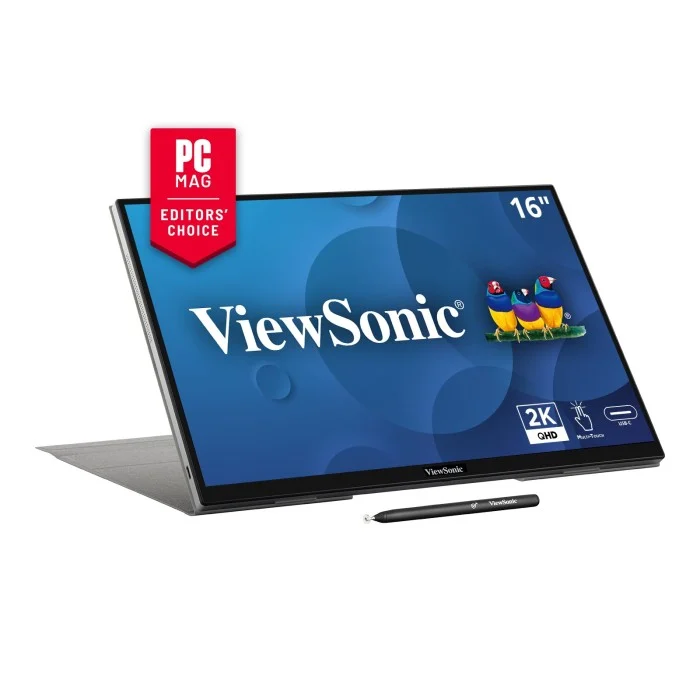
5. ViewSonic TD1656-2K — Best 16-inch touchscreen workspace
Research-based score: 8.8/10. Display: 16-inch 2560×1600 IPS, 10-point touch, 60Hz.
Combines a roomier 16:10 screen with sharp text, multitouch and two-sided USB-C ports. Presentations, digital annotation and portable large-screen multitasking. This selection makes sense when that particular need is a higher priority than the biggest panel or the lowest price. Before ordering, compare the exact model and SKU on the seller’s listing with the name here; similar branded families can differ substantially in ports, touch, resolution and refresh.
Strengths and trade-offs
Why choose it: Combines a roomier 16:10 screen with sharp text, multitouch and two-sided USB-C ports. The practical advantage is less friction carrying or positioning a second screen while doing actual work, rather than merely having another gadget in a bag.
Reasons to hesitate: Heavier than some 14-inch travel monitors; macOS touch relies on a driver and varies by input device. If that limitation matches your daily workflow, compare the other models above rather than assuming the higher editorial score always wins.
Who should buy it?
Presentations, digital annotation and portable large-screen multitasking. Think about whether you normally edit documents, review images, deliver presentations or play games before prioritizing resolution, refresh, touch or portability. A portable screen is valuable only when you will actually set it up and use it consistently.
Our verdict: The ViewSonic TD1656-2K earns its place as best 16-inch touchscreen workspace. We recommend checking the listed connector types, bundled cables, display/power requirements and current warranty before purchase.
6. Arzopa Z3FC — Best affordable QHD high-refresh option
Research-based score: 8.8/10. Display: 16.1-inch 2560×1440 IPS, 180Hz, USB-C/mini HDMI.
A rare combination of QHD resolution and 180Hz refresh for both work and occasional gaming at a competitive price. Budget-conscious users mixing travel productivity and gaming. This selection makes sense when that particular need is a higher priority than the biggest panel or the lowest price. Before ordering, compare the exact model and SKU on the seller’s listing with the name here; similar branded families can differ substantially in ports, touch, resolution and refresh.
Strengths and trade-offs
Why choose it: A rare combination of QHD resolution and 180Hz refresh for both work and occasional gaming at a competitive price. The practical advantage is less friction carrying or positioning a second screen while doing actual work, rather than merely having another gadget in a bag.
Reasons to hesitate: The 16:9 layout gives less vertical room than 16:10 and advertising claims need a compatible GPU/input path. If that limitation matches your daily workflow, compare the other models above rather than assuming the higher editorial score always wins.
Who should buy it?
Budget-conscious users mixing travel productivity and gaming. Think about whether you normally edit documents, review images, deliver presentations or play games before prioritizing resolution, refresh, touch or portability. A portable screen is valuable only when you will actually set it up and use it consistently.
Our verdict: The Arzopa Z3FC earns its place as best affordable qhd high-refresh option. We recommend checking the listed connector types, bundled cables, display/power requirements and current warranty before purchase.
7. MSI PRO MP165 E6 — Best low-cost office extra screen
Research-based score: 8.2/10. Display: 15.6-inch 1920×1080 IPS, 60Hz, HDMI and USB-C.
A flexible inexpensive screen with both HDMI and USB-C, VESA support and a tripod socket. Students and remote workers seeking extra spreadsheet space. This selection makes sense when that particular need is a higher priority than the biggest panel or the lowest price. Before ordering, compare the exact model and SKU on the seller’s listing with the name here; similar branded families can differ substantially in ports, touch, resolution and refresh.
Strengths and trade-offs
Why choose it: A flexible inexpensive screen with both HDMI and USB-C, VESA support and a tripod socket. The practical advantage is less friction carrying or positioning a second screen while doing actual work, rather than merely having another gadget in a bag.
Reasons to hesitate: 250-nit advertised brightness and narrow listed gamut make it less suitable for color-critical or sunny-room work. If that limitation matches your daily workflow, compare the other models above rather than assuming the higher editorial score always wins.
Who should buy it?
Students and remote workers seeking extra spreadsheet space. Think about whether you normally edit documents, review images, deliver presentations or play games before prioritizing resolution, refresh, touch or portability. A portable screen is valuable only when you will actually set it up and use it consistently.
Our verdict: The MSI PRO MP165 E6 earns its place as best low-cost office extra screen. We recommend checking the listed connector types, bundled cables, display/power requirements and current warranty before purchase.
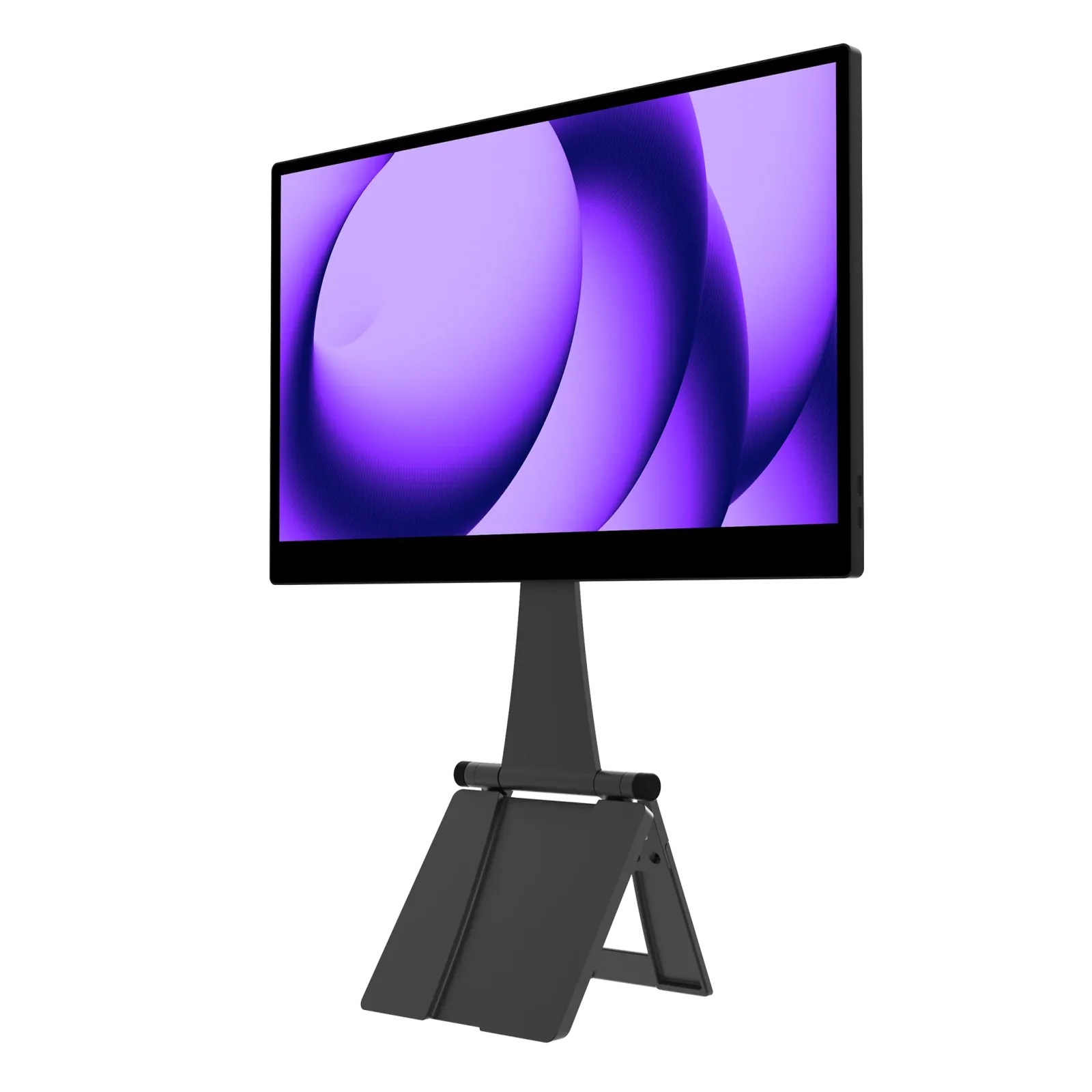
8. espresso Pro 15 — Best premium magnetic stand and touch
Research-based score: 8.8/10. Display: 15.6-inch 3840×2160 LCD touchscreen, 60Hz.
A premium 4K touch-first design with a magnetic stand, advertised 550-nit brightness and Mac/Windows touch support. Premium Mac and Windows workflows that benefit from direct interaction. This selection makes sense when that particular need is a higher priority than the biggest panel or the lowest price. Before ordering, compare the exact model and SKU on the seller’s listing with the name here; similar branded families can differ substantially in ports, touch, resolution and refresh.
Strengths and trade-offs
Why choose it: A premium 4K touch-first design with a magnetic stand, advertised 550-nit brightness and Mac/Windows touch support. The practical advantage is less friction carrying or positioning a second screen while doing actual work, rather than merely having another gadget in a bag.
Reasons to hesitate: At around $699 on the official page, the high price demands frequent touchscreen/stand use to justify it. If that limitation matches your daily workflow, compare the other models above rather than assuming the higher editorial score always wins.
Who should buy it?
Premium Mac and Windows workflows that benefit from direct interaction. Think about whether you normally edit documents, review images, deliver presentations or play games before prioritizing resolution, refresh, touch or portability. A portable screen is valuable only when you will actually set it up and use it consistently.
Our verdict: The espresso Pro 15 earns its place as best premium magnetic stand and touch. We recommend checking the listed connector types, bundled cables, display/power requirements and current warranty before purchase.
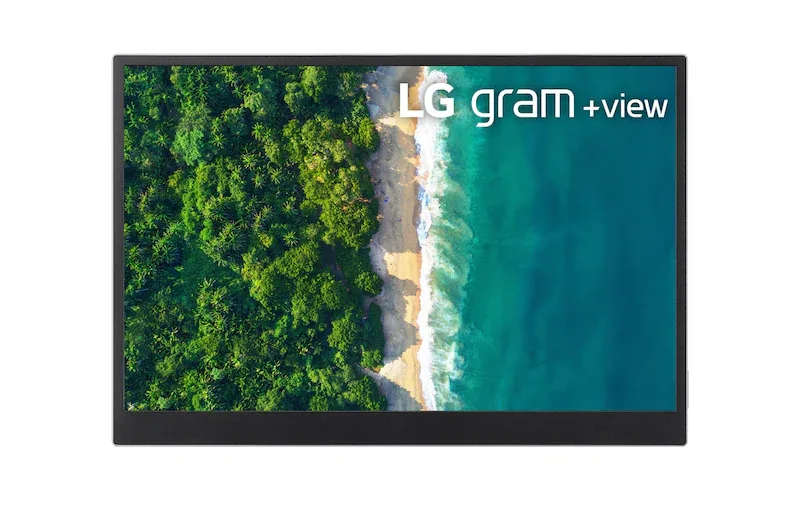
9. LG gram +view 16MQ70 — Best lightweight 16:10 companion
Research-based score: 8.4/10. Display: 16-inch 2560×1600 IPS, dual USB-C and folio cover.
Sharp 16:10 screen and portable weight make it an appealing productivity-focused match with slim laptops. LG gram users and other compatible laptops needing a second large workspace. This selection makes sense when that particular need is a higher priority than the biggest panel or the lowest price. Before ordering, compare the exact model and SKU on the seller’s listing with the name here; similar branded families can differ substantially in ports, touch, resolution and refresh.
Strengths and trade-offs
Why choose it: Sharp 16:10 screen and portable weight make it an appealing productivity-focused match with slim laptops. The practical advantage is less friction carrying or positioning a second screen while doing actual work, rather than merely having another gadget in a bag.
Reasons to hesitate: No internal battery and the manufacturer requires DP Alt Mode and sufficient USB-C power; older model may have uneven local availability. If that limitation matches your daily workflow, compare the other models above rather than assuming the higher editorial score always wins.
Who should buy it?
LG gram users and other compatible laptops needing a second large workspace. Think about whether you normally edit documents, review images, deliver presentations or play games before prioritizing resolution, refresh, touch or portability. A portable screen is valuable only when you will actually set it up and use it consistently.
Our verdict: The LG gram +view 16MQ70 earns its place as best lightweight 16:10 companion. We recommend checking the listed connector types, bundled cables, display/power requirements and current warranty before purchase.
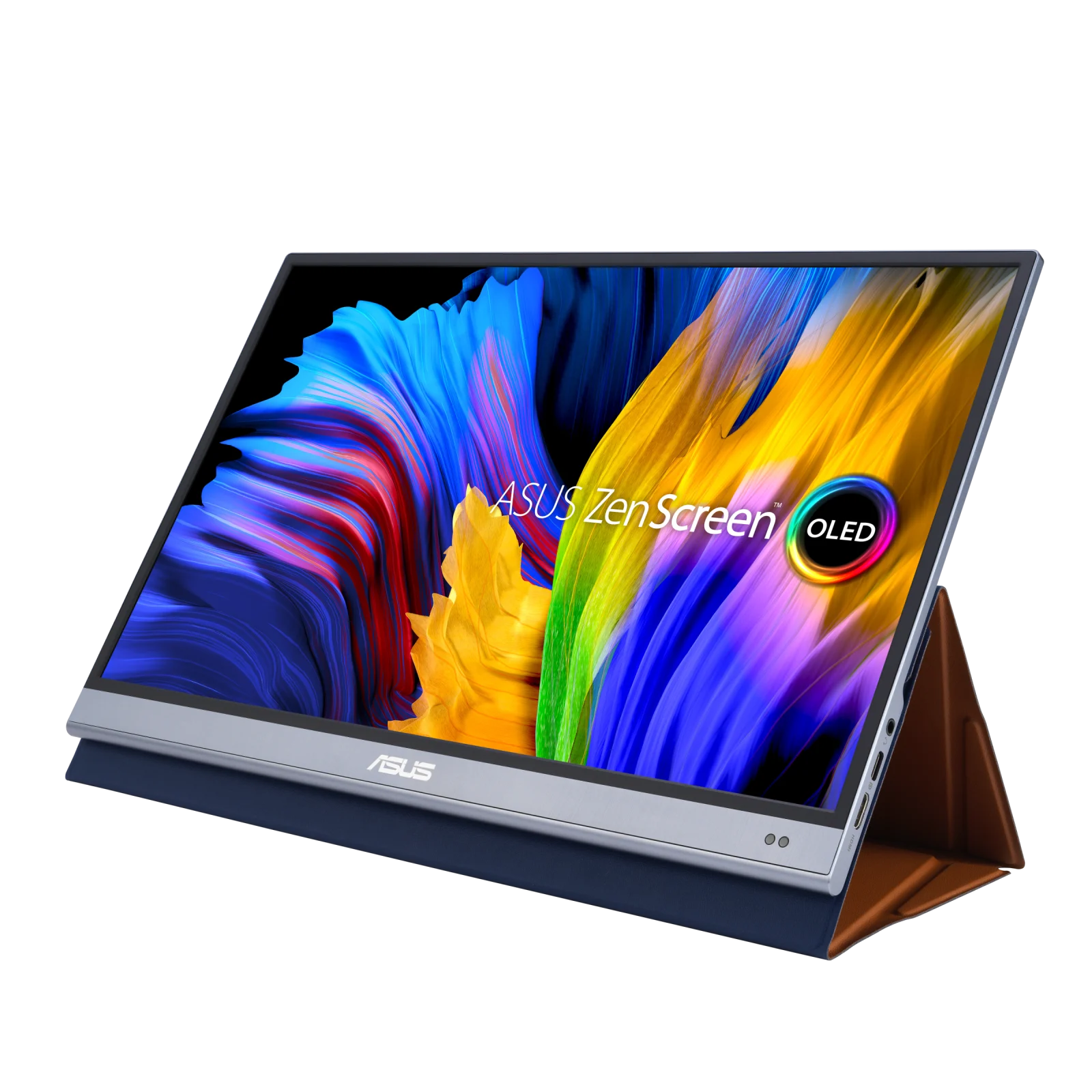
10. ASUS ZenScreen OLED MQ16AH — Best thin OLED alternative
Research-based score: 8.5/10. Display: 15.6-inch FHD OLED with deep blacks and rapid response.
A slim 650g-class OLED companion with excellent inherent contrast for streaming and presentations. OLED fans seeking a slimmer alternative to the ViewSonic 4K. This selection makes sense when that particular need is a higher priority than the biggest panel or the lowest price. Before ordering, compare the exact model and SKU on the seller’s listing with the name here; similar branded families can differ substantially in ports, touch, resolution and refresh.
Strengths and trade-offs
Why choose it: A slim 650g-class OLED companion with excellent inherent contrast for streaming and presentations. The practical advantage is less friction carrying or positioning a second screen while doing actual work, rather than merely having another gadget in a bag.
Reasons to hesitate: 1080p is less crisp than newer QHD/4K rivals, and OLED needs sensible static-image use. If that limitation matches your daily workflow, compare the other models above rather than assuming the higher editorial score always wins.
Who should buy it?
OLED fans seeking a slimmer alternative to the ViewSonic 4K. Think about whether you normally edit documents, review images, deliver presentations or play games before prioritizing resolution, refresh, touch or portability. A portable screen is valuable only when you will actually set it up and use it consistently.
Our verdict: The ASUS ZenScreen OLED MQ16AH earns its place as best thin oled alternative. We recommend checking the listed connector types, bundled cables, display/power requirements and current warranty before purchase.
What to check before buying a portable monitor
USB-C video is not universal
A USB-C port on a laptop can be data-only. A single-cable monitor typically needs DisplayPort Alt Mode or a supported Thunderbolt/USB4 video path plus sufficient power. Otherwise, HDMI video with separate USB power may be necessary, when the monitor offers that input. Read your laptop’s port specification rather than assuming connector shape implies video output. Some touch features may also need a USB data path or special driver.
QHD versus FHD versus 4K
FHD is adequate for spreadsheets and messaging; 16:10 QHD/WQXGA offers finer text and more vertical work area. At 15–16 inches, 4K is most valuable for users working close to fine graphics or reviewing high-resolution content, but the added density may need display scaling. A 4K label alone does not ensure calibrated color accuracy.
Panel brightness and glare
Portable monitors often run at modest brightness because they are designed for power-limited USB connections. Manufacturer peak brightness can describe a different test condition than everyday sustained brightness. Outdoor use is especially difficult for glossy panels; prioritize real-world reflections and useful stand angles over impressive peak-number claims.
Power consumption and charging passthrough
Many of these monitors lack a battery. Drawing power from a laptop may reduce unplugged runtime, even when the screen is connected with just one cable. USB-C passthrough wattage describes supported power routing, not unlimited free laptop charging; the external adapter and other devices still determine the available budget.
Touch and pen support
Touch is useful for handwriting, on-screen annotation and presentations, but multitouch support under Windows does not prove equivalent behavior on macOS, iPadOS or Android. Verify the operating system, included stylus and pressure functionality separately. The Lenovo M14t Gen 2 is the more compact touch option; the ViewSonic TD1656-2K offers a larger canvas.
Refresh rate: don’t overpay for unused speed
High-refresh panels can make scrolling and games appear smoother, but the source device and connection must actually output the advertised mode. Most business documents are fine at 60Hz. If you mostly travel to meetings, consider a lighter 60Hz model rather than paying a gaming premium you rarely use.
Frequently asked questions
Can a portable monitor work without a laptop?
Some can connect to another compatible video source such as a console or phone. Most are not independent computers, and many require an external power source or USB power from the host.
Are portable monitors good for work?
Yes, particularly when comparing two documents, monitoring chats alongside a spreadsheet, or keeping reference material visible during writing. Users who need heavy photo editing should prioritize verified display accuracy over resolution alone.
Can I use one with a MacBook?
Usually if the Mac supports the required display-output protocol. Touch behavior and the number of supported external displays depend on the specific Mac model and any manufacturer software required.
Is OLED better than IPS?
OLED provides striking contrast and blacks for videos and visual work, while IPS models can be more affordable and straightforward for static spreadsheets and long documents. Neither wins every workflow.
How many watts does a portable monitor need?
There is no universal number. Follow the model’s official minimum power requirement and account for simultaneous laptop charging. An underpowered USB source can cause dimness, flickering or a failed connection.
Bottom line
Choose the ASUS MB16QHG if you want one refined travel display; the Lenovo M14t Gen 2 for pen work, the Dell P1425 for straightforward business travel, the MSI MP165 E6 for affordability, or the ViewSonic 4K OLED for display-first creative work. Prioritize reliable cable compatibility and placement over spec-sheet extremes.
AsumeTech has not physically tested these ten monitors. Recommendations below synthesize manufacturer specifications, currently available independent reporting and clearly described use-case tradeoffs. Prices and regional stock change; the models are not necessarily released in 2026, but are compared as 2026 buying choices.
