
For most people who need a portable external hard drive in 2026, the WD My Passport 6TB is the best-balanced place to start: generous space without a power brick, backup features, and a three-year limited warranty. Buy the Toshiba Canvio Flex 4TB if you move files regularly between USB-A and USB-C computers, or the WD My Book 18TB if your drive will stay beside a desktop PC. If you need 24TB in one USB enclosure, Seagate Expansion Desktop is an option, but check live stock before shopping.
These are mechanical hard drives, not portable SSDs. They generally make the most sense for backups, media libraries and files you access occasionally. They are a weaker choice for constantly moving equipment, running demanding applications, or editing large projects directly from external storage. Capacity, device compatibility, physical handling, backup options and warranty matter more to this recommendation than a USB interface’s theoretical speed label.
Availability checked October 22, 2026: Seagate’s own US store showed the 5TB Expansion Portable and 24TB Expansion Desktop as currently out of stock. Third-party retailer inventory can differ. Specific current retailer prices were not consistently verified, so this guide does not invent a lowest-price winner or a universal in-stock promise.
Quick picks: the right external hard drive for your job
WD My Passport 6TB
Editorial buyer-fit rating: 8.8/10. People who want a large, simple backup drive with optional password protection.
- 6TB without a wall adapter
- Three-year limited warranty
- WD backup tools and password protection
- USB Micro-B connector rather than USB-C
- Slower than an external SSD
- Bulkier than smaller-capacity portable drives
WD My Passport Ultra 6TB
Editorial buyer-fit rating: 8.5/10. USB-C laptop owners who need a large portable HDD.
- 6TB with included USB-C cable
- USB-A adapter in the box
- Three-year limited warranty
- Still HDD-class transfer speed
- More weight than some lower-capacity drives
- USB-C does not make its platter faster
Toshiba Canvio Flex 4TB
Editorial buyer-fit rating: 8.4/10. Windows and Mac households that move archived files between computers.
- Includes both USB-A and USB-C host cables
- exFAT out of the box
- No external power brick
- 4TB ceiling versus 6TB portable rivals
- Micro-B connector at the drive end
- No ruggedized protection claim
Seagate One Touch with Password 5TB
Editorial buyer-fit rating: 8.2/10. Windows users who want a portable drive with scheduled backup and password features.
- Seagate Toolkit backup and mirroring options
- Password-enabled version is explicitly specified
- 5TB portable capacity
- Care is needed to buy the password-enabled variant
- USB-C host may need an adapter
- Subscription promotions should not drive purchase
Seagate Expansion Portable 5TB
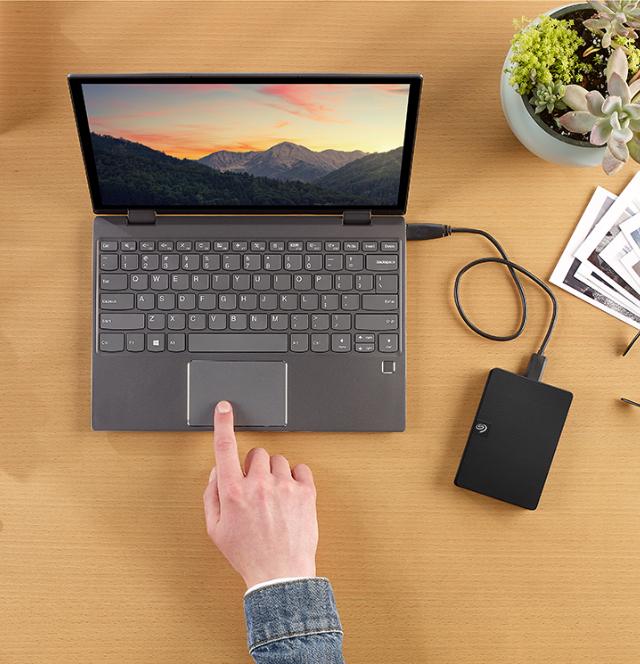
Editorial buyer-fit rating: 7.8/10. Buyers who mainly want no-frills file storage and occasional backup.
- Straightforward plug-in operation
- 5TB capacity with no AC adapter
- Manufacturer lists Rescue Data Recovery Services
- No strong reason to pay a premium over feature-rich rivals
- USB-A cable, older Micro-B style
- Manufacturer store currently out of stock (check authorized retailers)
LaCie Rugged Mini 5TB
Editorial buyer-fit rating: 8.1/10. Photographers and travelers who need more physical protection during transport.
- Protective ruggedized enclosure
- 5TB portable capacity
- Three-year limited warranty listed for 5TB SKU
- Shock resistance is not a license to mishandle data
- HDD remains slower and more fragile than SSD storage
- Premium may be hard to justify for stationary use
WD My Book 18TB
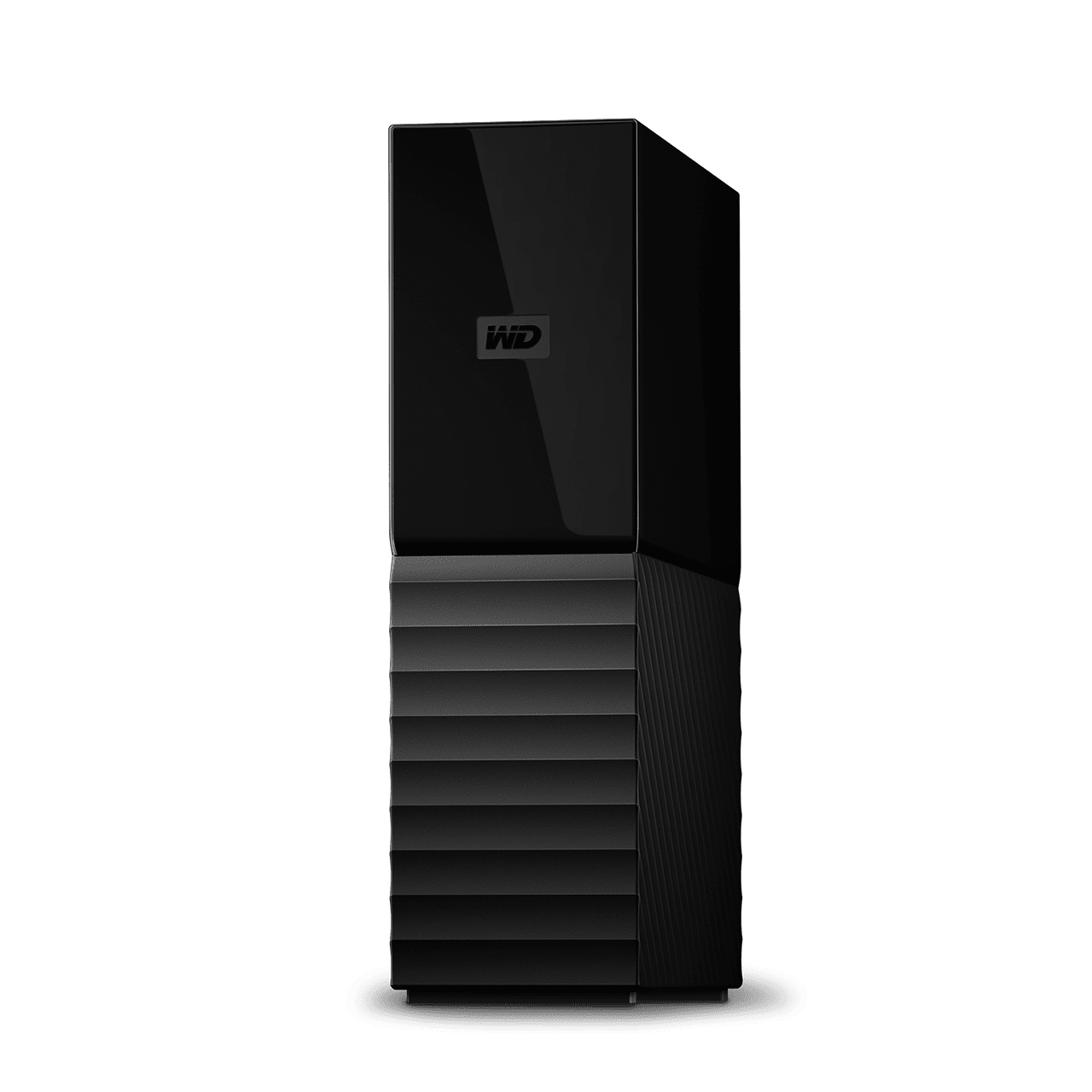
Editorial buyer-fit rating: 8.5/10. Desktop users who need a large local backup destination with management software.
- 18TB storage in one desktop enclosure
- Three-year limited warranty
- Backup and device-management tools
- Requires wall power
- Not portable for daily commuting
- One physical drive is not redundant protection
Seagate Expansion Desktop 24TB
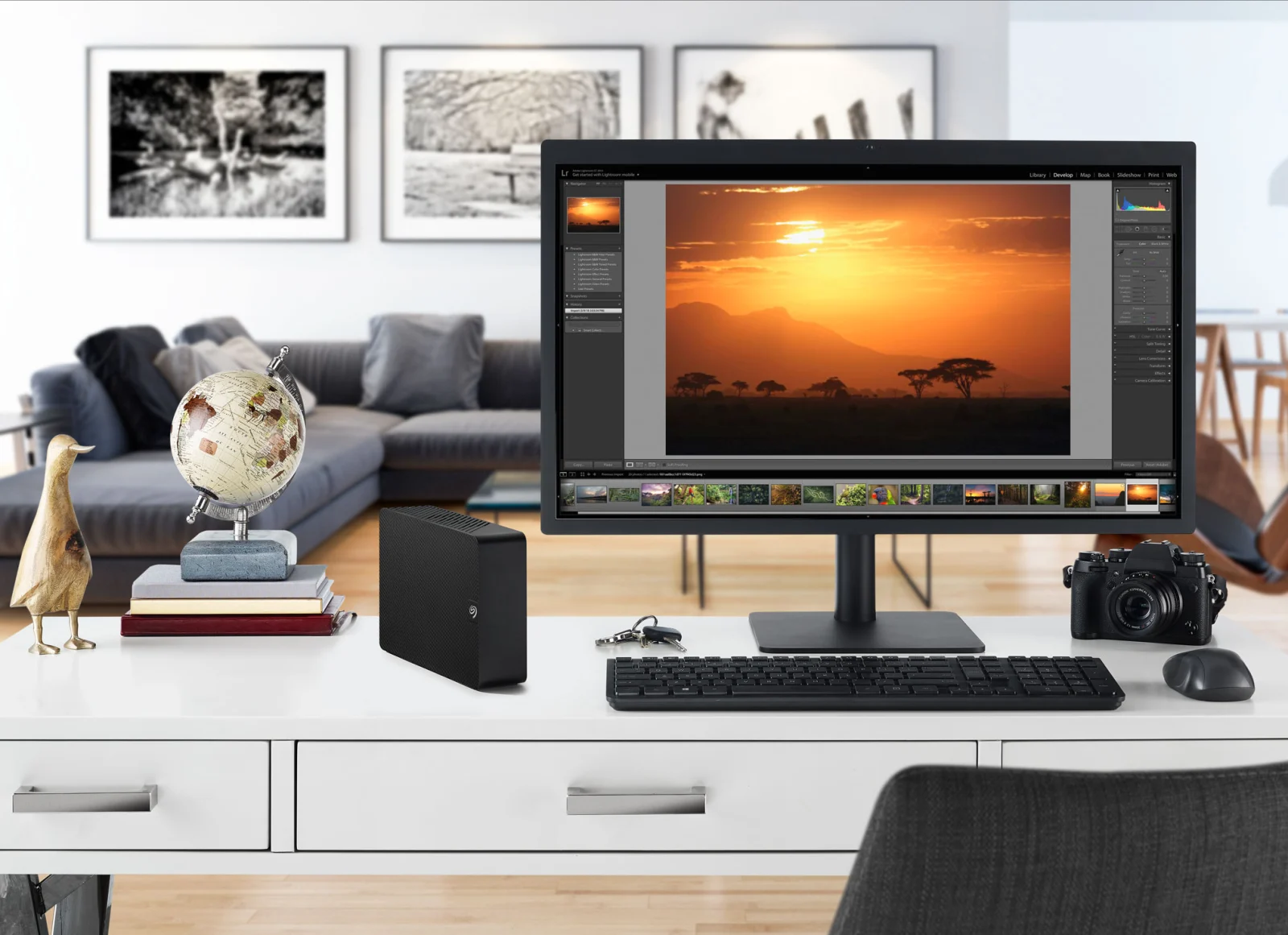
Editorial buyer-fit rating: 8.0/10. Large media collections and secondary local archives where maximum capacity matters.
- 24TB exact capacity listed by Seagate
- Simple desktop USB setup
- Rescue Data Recovery Services included under terms
- Requires power and a permanent desk location
- Warranty length varies by region
- Seagate US store currently out of stock (check authorized retailers)
External hard drives compared
| Drive | Capacity | Power | Connection | Main consideration |
|---|---|---|---|---|
| WD My Passport 6TB | 6TB | USB bus-powered | USB 3.2 Gen 1; USB-A cable | USB Micro-B connector rather than USB-C |
| WD My Passport Ultra 6TB | 6TB | USB bus-powered | USB-C cable; USB-A adapter | Still HDD-class transfer speed |
| Toshiba Canvio Flex 4TB | 4TB | USB bus-powered | USB-C and USB-A cables; Micro-B drive port | 4TB ceiling versus 6TB portable rivals |
| Seagate One Touch with Password 5TB | 5TB | USB bus-powered | USB 3.0; USB-A host cable | Care is needed to buy the password-enabled variant |
| Seagate Expansion Portable 5TB | 5TB | USB bus-powered | USB 3.0; USB-A host cable | No strong reason to pay a premium over feature-rich rivals |
| LaCie Rugged Mini 5TB | 5TB | USB bus-powered | USB 3.0 | Shock resistance is not a license to mishandle data |
| WD My Book 18TB | 18TB | Requires AC adapter | USB 3.2 Gen 1; USB-A cable | Requires wall power |
| Seagate Expansion Desktop 24TB | 24TB | Requires AC adapter | USB 3.0; USB-A cable | Requires power and a permanent desk location |
About the ratings: These are editorial buying-fit assessments from documented features, capacity, connectivity, backup features, portability and warranty terms, not claimed hands-on measurements or a laboratory performance leaderboard. Current price and long-term failure rates were not scored without comparable evidence. Desktop and portable drives serve different use cases, so select by need before comparing numbers.
How to choose the right external hard drive
Portable or desktop?
A portable HDD normally draws its power from the USB connection and slips into a bag. It is convenient for laptop backups and moving files. A desktop drive is larger, usually requires its own power supply, and often offers much higher capacities. For a fixed home workstation with an enormous archive, the desktop format is not an inconvenience; for regular travel it is.
Understand USB labels before paying for speed
USB 3.0 and USB 3.2 Gen 1 both commonly indicate a 5Gbps interface class. That figure is a connection maximum, not the disk’s sustained copy speed. Real throughput depends on the mechanical drive, file sizes, drive fill level, workload and host setup. USB-C is a connector shape; a USB-C cable does not turn a hard drive into an SSD. Independent exact-model reviews have measured ordinary portable HDD transfers in the low-hundreds of megabytes per second under different conditions, while solid-state drives can be substantially quicker.
Pick the backup plan before the file system
exFAT is useful when a drive must travel between Windows and Mac machines, but its broad compatibility is not a full backup strategy. Dedicated Mac Time Machine workflows may require reformatting, and changing the format can erase files. Verify your software’s supported formats, test a full restore, and confirm that automated jobs still run when your computer sleeps. Encryption or password protection should be configured, and recovery keys must be stored securely apart from the drive.
Why the biggest capacity is not always the best purchase
Check current cost per terabyte using real checkout prices, including shipping, warranty coverage and whether the seller is authorized. A 5TB model can be a more sensible deal than a 6TB model if the final price difference is large; one giant desktop disk can simplify administration but concentrates your data at one failure point. A reliable approach is to keep a working copy, a separate local backup, and an off-site copy of your most important files. A rugged enclosure or data-recovery promotion should not replace that policy.
Check the exact SKU and regional warranty
Retailer listings often combine multiple capacities, colors and generations of the same product family. Check the exact model number, connector, cable included and local warranty before checkout. In particular, Seagate’s desktop warranty terms vary by region, and One Touch comes in variants with different security features. Do not assume software, price or protection terms carry over to every sibling model.
Full reviews and buying trade-offs
WD My Passport 6TB — Best Overall Portable HDD
Exact model: WDBR9S0060BBK-WESN. Capacity: 6TB. Best for: People who want a large, simple backup drive with optional password protection.
For a buyer who wants to put family photos, large downloads, and computer backups on one portable drive, the 6TB WD My Passport is the simplest all-around recommendation. It provides a relatively large amount of mechanical storage without requiring a wall outlet, and WD specifies a three-year limited warranty. Its security and backup utilities offer more than a bare drag-and-drop enclosure, provided you actually configure them. This makes sense for someone who will back up a laptop periodically, unplug the drive, and store it separately rather than leave it connected all day.
Capacity is the draw, not speed. Independent testing of the exact 6TB model by Tom’s Hardware recorded roughly 109 MB/s reading and 96 MB/s writing in a particular 50GB real-file transfer test. Those are not promises for every host, file mix, or drive condition, but they illustrate why moving a multi-terabyte library takes patience. The USB 5Gbps specification names the interface ceiling, not the spinning disk’s actual throughput. A USB-C adapter or suitable replacement cable can help with laptop ports, but the drive itself still uses a Micro-B connector.
Buy it when portability, capacity, familiar backup software, and warranty matter more than fast editing directly from the disk. If you carry the drive every day and work with active photo or video projects, an SSD may justify its higher cost; if the device will stay on a desk and you need far more than 6TB, a powered desktop drive is a better fit.
WD My Passport Ultra 6TB — Best USB-C Portable Capacity
Exact model: WDBEJA0060BBL-WESN. Capacity: 6TB. Best for: USB-C laptop owners who need a large portable HDD.
The My Passport Ultra 6TB solves a specific annoyance of older portable hard drives: connecting one to a USB-C-first laptop without separately shopping for the right cable. WD’s 6TB Ultra includes a USB-C-to-USB-C cable and a USB-C-to-USB-A adapter. That flexibility is especially useful if you alternate between a newer notebook and an older office desktop. The drive still uses a mechanical disk inside, so cable convenience is the upgrade rather than a new tier of performance.
In exact-model independent testing, StorageReview measured around 110 MB/s reading and 108 MB/s writing in its 2MB sequential Iometer workload. Those figures should not be equated with unrelated benchmarks from other drives; the relevant takeaway is that 5Gbps USB connectivity has ample headroom for an HDD of this class. WD also lists a three-year worldwide limited warranty and backup/password-protection software. Check whether included security features and platform support meet your needs before trusting a backup workflow to them.
Choose the Ultra over the standard My Passport mainly if its bundled USB-C connection is valuable enough to justify any price difference. It is not a replacement for a rugged SSD, and it is not a drive to rely on as the only copy of irreplaceable material.
Toshiba Canvio Flex 4TB — Best Cross-Platform Portable
Exact model: HDTX140ESCCA / region-specific revision. Capacity: 4TB. Best for: Windows and Mac households that move archived files between computers.
The Canvio Flex 4TB is the least fussy choice here for a mixed-device household. Toshiba ships the drive preformatted as exFAT and includes host cables for USB-A and USB-C systems. That reduces setup friction when files must travel between a Windows PC and a Mac. The 4TB version is around 210g in Toshiba’s US documentation, making it straightforward to pack with a laptop, though it is still a mechanical drive that deserves careful handling.
The product name can be misleading if you assume a native USB-C connector is on the enclosure: the cables terminate in a USB Micro-B connection on the drive side. For everyday backups that may not matter, but cable loss and wear are worth considering. A 2025 TechRadar test of the exact 4TB Canvio Flex reported CrystalDiskMark results around 146 MB/s read and 154 MB/s write under its chosen conditions. Do not directly rank those numbers against a different site’s My Passport test; the measured workloads differ.
Its practical advantage is compatibility, not flashy software. Formatting to APFS or another file system for a dedicated Mac Time Machine workflow may erase existing files, so choose the intended backup configuration before migrating data. The Canvio Flex suits occasional transfers and cross-platform archives better than editing high-bitrate projects live.
Check Toshiba Canvio Flex 4TB model details and availability.
Seagate One Touch with Password 5TB — Best for Scheduled PC Backup
Exact model: STKZ5000400. Capacity: 5TB. Best for: Windows users who want a portable drive with scheduled backup and password features.
The Seagate One Touch line includes several similarly named versions. For this recommendation, the intended model is the 5TB One Touch with Password (STKZ5000400), not an arbitrary One Touch SSD, older non-password variant, or One Touch Hub. Seagate lists password functionality and Toolkit backup and mirror options on the One Touch external HDD product family. Windows buyers who value convenient recurring file backups should consider it against WD’s software offerings.
Seagate lists USB 3.0 compatibility and a compact single-cable design. Although the drive can be used with Macs, Seagate cautions that reformatting may be needed for Time Machine. The manufacturer also notes that USB-C-only computers may require a separately purchased adapter. Two-year warranty information appears on the manufacturer’s support listing for this exact password-enabled 5TB identifier, which is shorter than the three-year terms WD lists for its My Passport lines.
The big shopping trap is confusing a storage capacity and brand with a precisely matched SKU. Check the full model identifier, password function, retailer fulfillment and included accessories. Seagate’s promotional photo-software trials may expire or vary, and are not reasons to select a long-term backup device. As with any automated backup, perform a restore test before you consider the job done.
Check Seagate One Touch with Password 5TB model details and availability.
Seagate Expansion Portable 5TB — Best Simple Drag-and-Drop Storage
Exact model: STKM5000400. Capacity: 5TB. Best for: Buyers who mainly want no-frills file storage and occasional backup.
The Seagate Expansion Portable 5TB takes a deliberately basic approach. Plug it into a supported computer, copy your files, and treat it as additional mechanical capacity. The current STKM5000400 listing confirms 5TB, USB 3.0, an included 18-inch Type-A cable, and a bus-powered portable enclosure. Seagate includes Rescue Data Recovery Services under applicable terms, but this is not a substitute for having another backup copy.
This model is a reasonable buy when the actual checkout price is meaningfully lower than a WD My Passport or Seagate One Touch of similar capacity. Without a current, comparable set of retailer prices, it would be misleading to crown it the cheapest drive today. It also lacks the compelling built-in software and security differentiators of some pricier alternatives. For plain media storage or secondary copies, that may be precisely what you want.
Availability note (checked October 22, 2026): Seagate’s US direct store identifies this 5TB model as currently out of stock. Retailer availability can differ, and readers should check the specific STKM5000400 listing rather than assume the entire Expansion line is discontinued. If only inflated marketplace prices are available, choose a competitively priced alternative rather than pay extra for the basic version.
Check Seagate Expansion Portable 5TB model details and availability.
LaCie Rugged Mini 5TB — Best Rugged Travel HDD
Exact model: STJJ5000400. Capacity: 5TB. Best for: Photographers and travelers who need more physical protection during transport.
LaCie’s Rugged Mini is for people whose drive gets carried to locations where an ordinary plastic enclosure feels like a liability. The exact 5TB mechanical model is STJJ5000400, a distinct product from LaCie’s Rugged Mini SSD family. LaCie promotes shock, drop and water resistance for its rugged enclosure, making it a more suitable travel-first choice than the basic drives in this comparison. That marketing does not establish that a powered, spinning HDD is safe to drop or that it is waterproof.
The orange-protected design is helpful during transportation, but regular handling rules remain: eject it before unplugging, keep it secure while writing, and never use ruggedness as an excuse to keep only one copy of important footage. Seagate’s official support catalog identifies the 5TB STJJ5000400 and a three-year limited warranty. A buyer should still verify which protections apply to accidental damage and which recovery or warranty services are included in their market.
If you are rarely moving the disk from a desk, the rugged premium is difficult to defend. If you routinely move sizeable shoots and do not need SSD speeds, the extra enclosure protection has practical appeal. Creators who edit straight from external media should prioritize a faster portable SSD for active work and use the Rugged Mini for backups or transfer copies.
WD My Book 18TB — Best Desktop Backup Drive
Exact model: WDBBGB0180HBK-NESN (US). Capacity: 18TB. Best for: Desktop users who need a large local backup destination with management software.
WD My Book 18TB makes more sense than a pocket drive when you want to back up a workstation, hold a large photo archive, or store completed video projects in one fixed location. It uses an external power supply and USB 3.2 Gen 1 connection, which are ordinary trade-offs for a desktop-class enclosure. The 18TB US model is identified as WDBBGB0180HBK-NESN on WD’s own product information. That distinction matters when prices vary dramatically by capacity and region.
WD lists a three-year limited warranty, backup software, and device-management utilities. The latest WD product information lists exFAT formatting for out-of-box Windows and Mac compatibility, but the best file system for a dedicated backup depends on the target operating system and backup software. The large capacity can make an initial full backup lengthy, and a single 18TB device concentrates a great deal of data in one physical location.
Choose My Book if you have desk space, a nearby outlet, and an actual backup schedule. Its features are less exciting than a network-attached storage device, but the lack of a network service can be a virtue for users who only need a local USB destination. Keep a separate off-site or cloud copy of files that cannot be replaced. This is an archive and backup endpoint, not fault-tolerant storage.
Seagate Expansion Desktop 24TB — Best Very-High-Capacity Desktop Storage
Exact model: STKP24000400. Capacity: 24TB. Best for: Large media collections and secondary local archives where maximum capacity matters.
For readers whose archive has outgrown multiple smaller USB disks, Seagate Expansion Desktop 24TB (STKP24000400) provides a single large destination. Seagate’s official catalog confirms the exact model number and 24TB capacity. It is a powered desktop HDD with USB 3.0 connectivity, an included Type-A cable, and an 18W power adapter. The advantage over portable drives is raw capacity at a fixed desk, not mobility or magically faster transfers.
Warranty and bundle terms need unusually careful checking here. Seagate’s US support documentation lists a one-year limited warranty for this 24TB identifier, while official regional listings specify longer terms in other markets. Do not assume a three-year warranty for a US purchase based on a foreign product sheet. Seagate also offers Rescue Data Recovery Services with conditions, but users should not conflate an optional recovery service with a proper off-site backup.
Availability note (checked October 22, 2026): Seagate’s US direct-store page marks STKP24000400 currently out of stock. That is not evidence of universal retailer unavailability; search the exact SKU at authorized sellers before deciding it cannot be purchased. If the 24TB price per terabyte is poor, consider a lower-capacity desktop drive or a multi-disk strategy. One 24TB disk is convenient, but a single-disk failure can affect an entire library.
Check Seagate Expansion Desktop 24TB model details and availability.
Questions buyers ask
Should I choose a hard drive or an external SSD?
Choose an HDD for economical bulk storage, periodic backup and less speed-sensitive archives. Choose an SSD for moving active projects, running games or apps where supported, frequent travel and faster random access. If the data is irreplaceable, neither should be its only home.
Can I use these hard drives with both Windows and Mac?
Usually, but the file system and backup software matter. Drives formatted exFAT can commonly exchange files between both operating systems. A dedicated Time Machine disk may need reformatting, and the manufacturer may supply Windows-specific utilities. Back up any existing data before formatting.
Does an external hard drive automatically protect files against failure?
No. A USB disk is a storage device, not a guarantee of redundancy. It can fail, be damaged, stolen, accidentally erased or affected by malware. Keep another independent copy, ideally off-site; a separate cloud backup is one option. Periodically verify restores.
Does “currently out of stock” mean the drive is discontinued?
No. The noted stock status refers to Seagate’s own US direct-store listing on the date checked. Authorized retailers may have inventory, and inventory may change. Compare exact models and avoid suspicious listings or inflated prices.
Editorial note: Ratings are based on documented buying characteristics and carefully scoped published tests where mentioned. They do not claim that AsumeTech handled these eight drives, and no current retailer price was invented.
