

Updated October 13, 2026. A portable SSD can make backups and video workflows dramatically easier, but the number on its box can be misleading. A drive advertised at 4,000MB/s may run near 1,000MB/s when attached to a standard 10Gbps USB-C port. The right 2026 choice therefore depends as much on your computer’s USB/Thunderbolt implementation, file sizes and long-write workload as on the drive itself.
For most buyers who genuinely have a USB4 40Gbps port, our research-based overall recommendation is the LaCie Rugged SSD4 2TB. The SanDisk Extreme PRO USB4 offers stronger IP65 protection; OWC Envoy Ultra is the specialist Thunderbolt 5 option; Samsung T7 Shield is a sensible match for ordinary USB 10Gbps laptops. These are 2026 buying recommendations, not necessarily products released in 2026.
Disclosure: AsumeTech has not purchased, handled, benchmarked or physically tested these SSDs. Our scores are editorial judgments based on official technical documentation, relevant third-party laboratory testing and clearly identified uncertainties. No score represents an AsumeTech laboratory measurement. The independent benchmarks sometimes involve different capacities, and those differences are identified below. Prices and stock vary by market and can change daily.
Quick picks: eight external SSDs worth considering
- LaCie Rugged SSD4 2TB (STND2000400) — Best all-around USB4 external SSD; research score 9.3/10.
- SanDisk Extreme PRO with USB4 2TB (SDSSDE82-2T00-G25) — Best rugged high-speed USB4 alternative; research score 9.1/10.
- OWC Envoy Ultra 2TB Thunderbolt 5 — Best Thunderbolt 5 performance; research score 9.0/10.
- Corsair EX400U 2TB (CSSD-EX400U2TB) — Best compact USB4 drive for phones; research score 8.9/10.
- Samsung Portable SSD T9 2TB (MU-PG2T0B) — Best USB 20Gbps mainstream SSD; research score 8.7/10.
- Lexar SL500 Portable SSD 2TB (LSL500X002T-RNBNU) — Best ultra-slim phone-friendly 20Gbps SSD; research score 8.6/10.
- Kingston XS2000 2TB (SXS2000/2000G) — Best tiny rugged 20Gbps alternative; research score 8.5/10.
- Samsung Portable SSD T7 Shield 2TB (MU-PE2T0S) — Best simple rugged USB 10Gbps backup SSD; research score 8.5/10.
At-a-glance comparison
| ID | Exact model (2TB) | Interface | Rated sequential peak | Best use | Editorial score |
|---|---|---|---|---|---|
| P001 | LaCie Rugged SSD4 2TB (STND2000400) | USB4 40Gbps | USB4 40Gbps; up to 4,000MB/s read and 3,800MB/s write (manufacturer) | Best all-around USB4 external SSD | 9.3/10 |
| P002 | SanDisk Extreme PRO with USB4 2TB (SDSSDE82-2T00-G25) | USB4 40Gbps | USB4 Gen 3×2; up to 3,800MB/s read and 3,700MB/s write (manufacturer) | Best rugged high-speed USB4 alternative | 9.1/10 |
| P003 | OWC Envoy Ultra 2TB Thunderbolt 5 | Thunderbolt 5 80Gbps | Thunderbolt 5 80Gbps; over 6,000MB/s peak claimed on a TB5 host | Best Thunderbolt 5 performance | 9.0/10 |
| P004 | Corsair EX400U 2TB (CSSD-EX400U2TB) | USB4 40Gbps | USB4 40Gbps; up to 4,000MB/s read and 3,600MB/s write (manufacturer) | Best compact USB4 drive for phones | 8.9/10 |
| P005 | Samsung Portable SSD T9 2TB (MU-PG2T0B) | USB 3.2 Gen 2×2 20Gbps | USB 3.2 Gen 2×2 20Gbps; up to 2,000MB/s read and 1,950MB/s write | Best USB 20Gbps mainstream SSD | 8.7/10 |
| P006 | Lexar SL500 Portable SSD 2TB (LSL500X002T-RNBNU) | USB 3.2 Gen 2×2 20Gbps | USB 3.2 Gen 2×2 20Gbps; up to 2,000MB/s read and 1,800MB/s write | Best ultra-slim phone-friendly 20Gbps SSD | 8.6/10 |
| P007 | Kingston XS2000 2TB (SXS2000/2000G) | USB 3.2 Gen 2×2 20Gbps | USB 3.2 Gen 2×2 20Gbps; up to 2,000MB/s read and write | Best tiny rugged 20Gbps alternative | 8.5/10 |
| P008 | Samsung Portable SSD T7 Shield 2TB (MU-PE2T0S) | USB 3.2 Gen 2 10Gbps | USB 3.2 Gen 2 10Gbps; up to 1,050MB/s read and 1,000MB/s write | Best simple rugged USB 10Gbps backup SSD | 8.5/10 |
How we chose and scored the drives
We prioritized eight distinct 2TB configurations, rather than mixing a 1TB performance result with a 4TB price as though they were the same SKU. The weighted research rubric is 25% throughput and long-write evidence, 20% host/interface compatibility, 15% ruggedness and portability, 15% security/software, 15% value for its intended workload, and 10% warranty and ownership support. A high-end TB5 drive does not automatically outrank a USB 10Gbps model for someone with only 10Gbps ports; the score reflects usefulness for the stated buyer profile, not an abstract race for maximum speed.
Manufacturer sequential specifications are best-case peaks. Third-party measurements from StorageReview’s comparative laboratory tests and Tom’s Hardware’s Corsair EX400U review provide real-world context, but capacity, test platform, thermal state, filesystem, cable and workload differ. We deliberately avoid converting those results into fake like-for-like AsumeTech test charts.
One important 2026 exclusion: Micron announced it would stop shipping new Crucial consumer products after February 2026, although warranty support was promised. We therefore did not recommend the older Crucial X9 Pro or X10 Pro as default current-production purchases, even though remaining retailer stock may exist. Micron’s original December 2025 announcement documents the decision. If buying remaining stock, confirm the actual warranty remedy and seller return policy.
P001: LaCie Rugged SSD4 2TB (STND2000400) — Best all-around USB4 external SSD
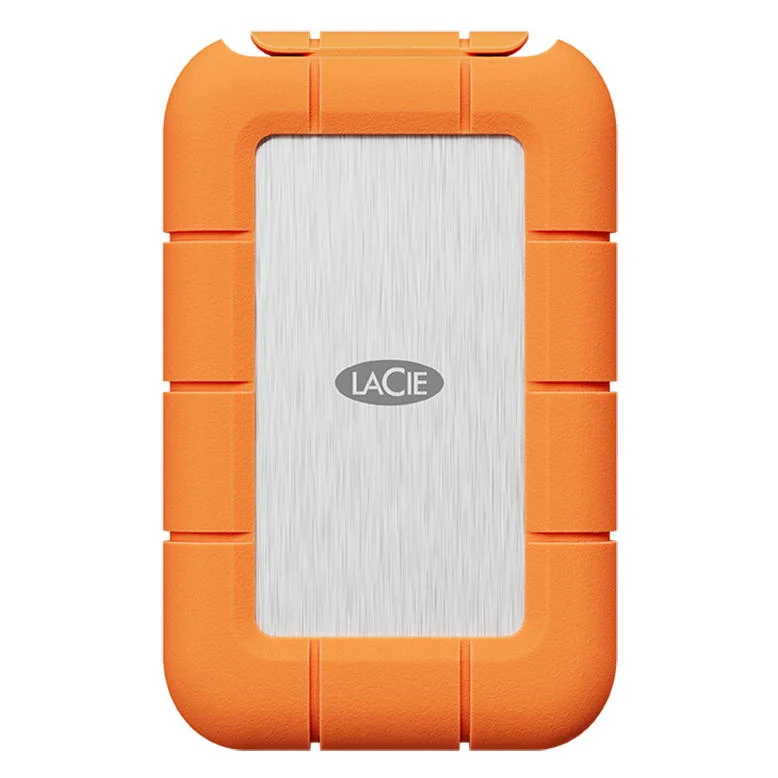
Research-only editorial score: 9.3/10. Interface and rated speed: USB4 40Gbps; up to 4,000MB/s read and 3,800MB/s write (manufacturer). Protection: IP54 with cap seated, 3m drop rating, 1-ton crush resistance. Warranty/security: LaCie Toolkit; three-year limited warranty and Rescue Data Recovery Services where available.
Why it earns a place
A well-rounded combination of USB4 performance, robust construction, broad fallback interfaces, and creator-oriented recovery support. The main advantage is practical: a buyer whose machine and workflow match this product can avoid paying for an incompatible interface or carrying a bulkier enclosure than necessary. Compare the actual 2TB product code rather than assuming another drive with the same family name shares its firmware, NAND configuration, power needs or performance.
Measured performance versus marketing
StorageReview’s independent Blackmagic and IOMeter tests found roughly 3.18GB/s reads and writes in Blackmagic and around 3.73GB/s read / 3.53GB/s write in a four-thread IOMeter sequential test. Important: that laboratory unit was the 4TB variant, not this selected 2TB SKU. Long sequential writes can be limited by an SLC cache, drive temperature, controller behavior, host power delivery and file characteristics. A test that copies a single 10GB file is not interchangeable with a 600GB media ingest or a directory of hundreds of thousands of small files. For this reason, we put more weight on directly reported sustained performance and independent test methodology than on the highest peak number printed on a box.
What we like
A well-rounded combination of USB4 performance, robust construction, broad fallback interfaces, and creator-oriented recovery support. In the right circumstances it makes moving footage, game installations or large backup sets easier without requiring an internal SSD installation. Its place on this list is based on the specific role described above rather than on the brand name alone.
What to consider before buying
The USB4 speed needs a compatible 40Gbps host. The capped IP54 rating is less protective than IP65/IP67 rivals; the orange bumper is not the smallest pocket format. USB4 40Gbps is the maximum class supported by this product, not a promise that your laptop will negotiate that speed. Also check whether a USB-A adapter is included, whether a short cable can physically reach your port, and whether the retailer’s warranty is local or international. A removable drive should not be the only copy of irreplaceable files.
Best buyer and alternative
Buy for: Photographers, editors and frequent travelers wanting a genuinely fast, rugged, broadly compatible external work drive. Compare instead: Corsair EX400U if compact magnetic phone use matters more; Samsung T7 Shield if the host is only USB 10Gbps.. If you mainly transfer documents, photos and occasional backups, a lower-bandwidth but durable drive can be the smarter purchase.
Sources: Official manufacturer specifications and Independent test or comparison context. These are external evidence links, not affiliate price guarantees.
P002: SanDisk Extreme PRO with USB4 2TB (SDSSDE82-2T00-G25) — Best rugged high-speed USB4 alternative
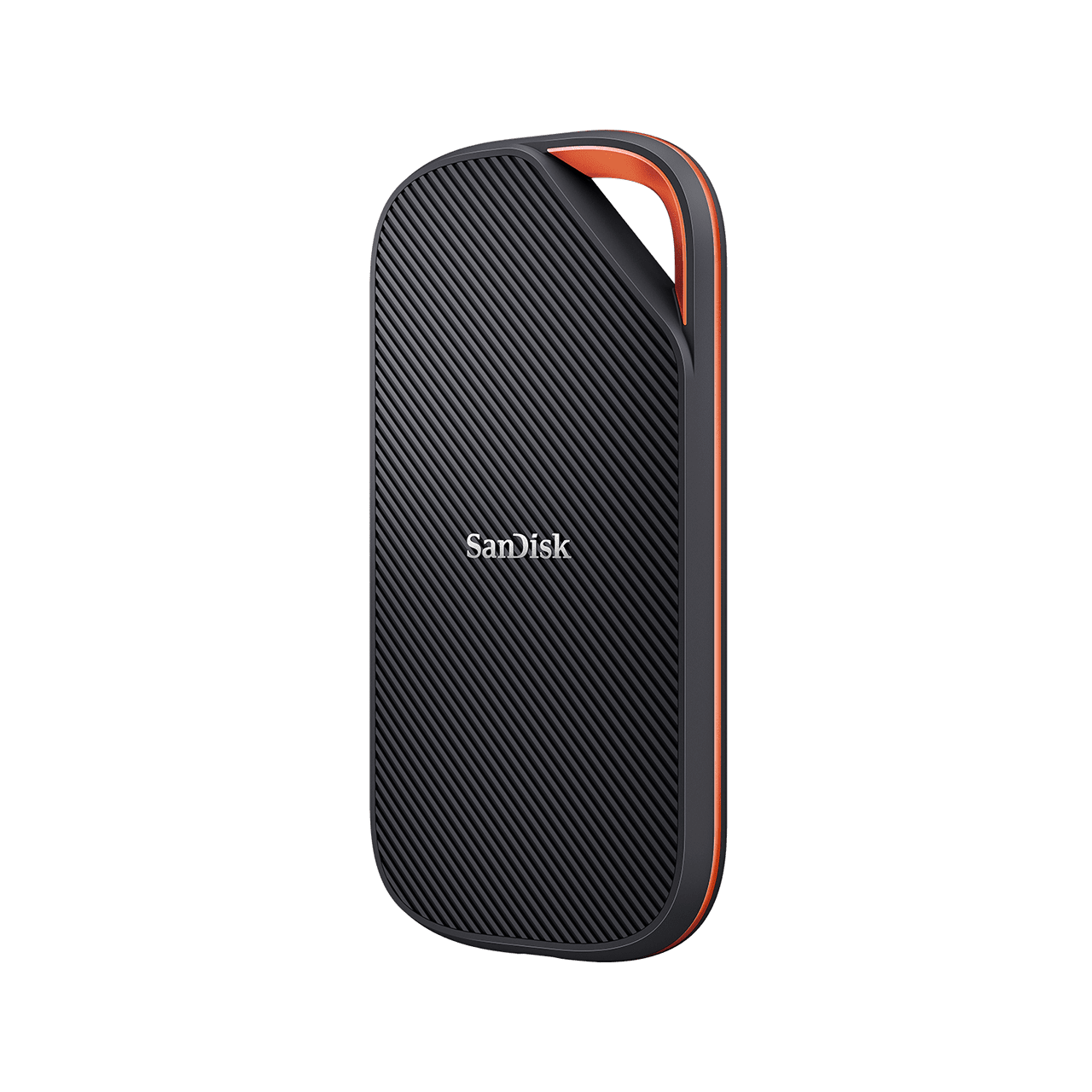
Research-only editorial score: 9.1/10. Interface and rated speed: USB4 Gen 3×2; up to 3,800MB/s read and 3,700MB/s write (manufacturer). Protection: IP65 water/dust resistance and 2m drop rating. Warranty/security: Five-year limited warranty; encryption feature not independently confirmed for this USB4 variant.
Why it earns a place
Excellent weather protection, broad USB4/TB4/older-USB compatibility and near-leading transfer performance. The main advantage is practical: a buyer whose machine and workflow match this product can avoid paying for an incompatible interface or carrying a bulkier enclosure than necessary. Compare the actual 2TB product code rather than assuming another drive with the same family name shares its firmware, NAND configuration, power needs or performance.
Measured performance versus marketing
StorageReview measured the 2TB SanDisk USB4 model at about 3.17GB/s read and 2.86GB/s write in Blackmagic. Its IOMeter numbers vary substantially by queue depth and workload; do not mistake the 3.8GB/s advertised peak for a sustained guarantee. Long sequential writes can be limited by an SLC cache, drive temperature, controller behavior, host power delivery and file characteristics. A test that copies a single 10GB file is not interchangeable with a 600GB media ingest or a directory of hundreds of thousands of small files. For this reason, we put more weight on directly reported sustained performance and independent test methodology than on the highest peak number printed on a box.
What we like
Excellent weather protection, broad USB4/TB4/older-USB compatibility and near-leading transfer performance. In the right circumstances it makes moving footage, game installations or large backup sets easier without requiring an internal SSD installation. Its place on this list is based on the specific role described above rather than on the brand name alone.
What to consider before buying
Large 140mm body and about 170g weight make it less pocketable; model must not be confused with older SanDisk Extreme PRO USB 3.2 drives, which have different performance and historical reliability concerns. USB4 40Gbps is the maximum class supported by this product, not a promise that your laptop will negotiate that speed. Also check whether a USB-A adapter is included, whether a short cable can physically reach your port, and whether the retailer’s warranty is local or international. A removable drive should not be the only copy of irreplaceable files.
Best buyer and alternative
Buy for: Field photographers, travel video teams and buyers who value IP65 protection over compact dimensions. Compare instead: LaCie Rugged SSD4 for higher measured multitasking throughput; OWC Envoy Ultra for Thunderbolt 5 workstations.. If you mainly transfer documents, photos and occasional backups, a lower-bandwidth but durable drive can be the smarter purchase.
Sources: Official manufacturer specifications and Independent test or comparison context. These are external evidence links, not affiliate price guarantees.
P003: OWC Envoy Ultra 2TB Thunderbolt 5 — Best Thunderbolt 5 performance
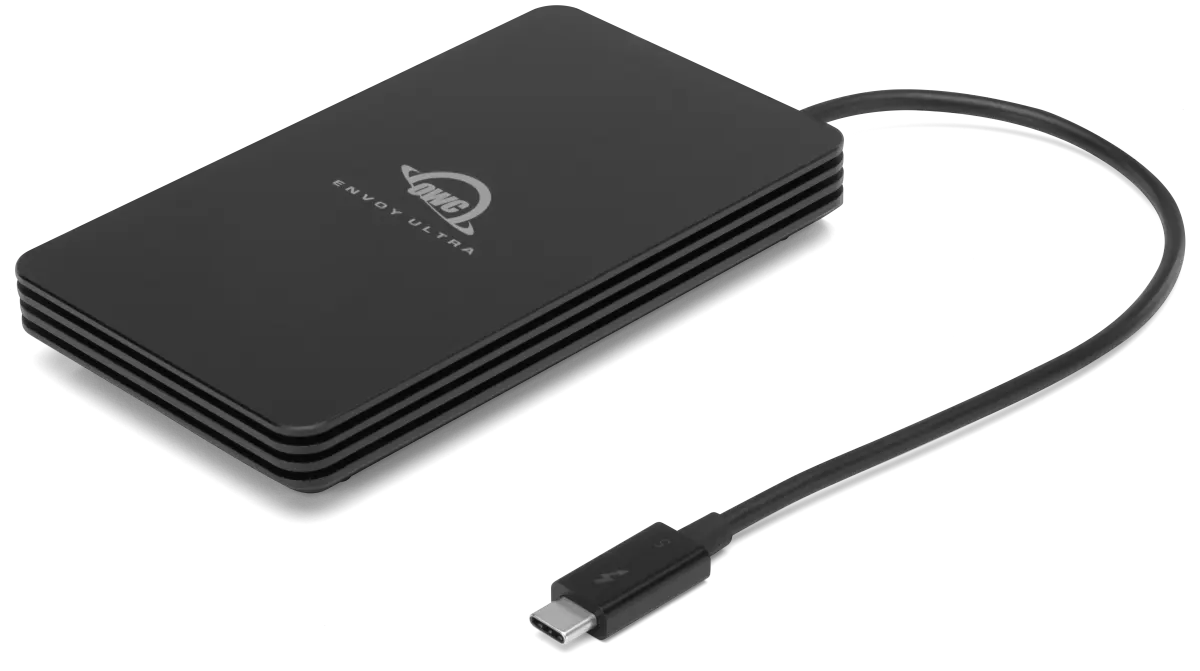
Research-only editorial score: 9.0/10. Interface and rated speed: Thunderbolt 5 80Gbps; over 6,000MB/s peak claimed on a TB5 host. Protection: IP67 enclosure; built-in replaceable Thunderbolt cable; 327g-class body. Warranty/security: Five-year OWC limited warranty; not marketed as a hardware-encrypted vault.
Why it earns a place
Very high sequential speed on a real TB5 computer, excellent weather sealing and convenient integrated cable. The main advantage is practical: a buyer whose machine and workflow match this product can avoid paying for an incompatible interface or carrying a bulkier enclosure than necessary. Compare the actual 2TB product code rather than assuming another drive with the same family name shares its firmware, NAND configuration, power needs or performance.
Measured performance versus marketing
OWC’s 6,000MB/s figure is a manufacturer peak, not an AsumeTech measurement. OWC separately reports about 1,350MB/s sustained long-write behavior for the 2TB model; this is a key distinction for footage ingest. Long sequential writes can be limited by an SLC cache, drive temperature, controller behavior, host power delivery and file characteristics. A test that copies a single 10GB file is not interchangeable with a 600GB media ingest or a directory of hundreds of thousands of small files. For this reason, we put more weight on directly reported sustained performance and independent test methodology than on the highest peak number printed on a box.
What we like
Very high sequential speed on a real TB5 computer, excellent weather sealing and convenient integrated cable. In the right circumstances it makes moving footage, game installations or large backup sets easier without requiring an internal SSD installation. Its place on this list is based on the specific role described above rather than on the brand name alone.
What to consider before buying
Premium cost, heavier body, and reduced speed on TB4/USB4. OWC discloses that the 2TB version can settle around 1,350MB/s in long write sessions after initial bursts. Thunderbolt 5 80Gbps is the maximum class supported by this product, not a promise that your laptop will negotiate that speed. Also check whether a USB-A adapter is included, whether a short cable can physically reach your port, and whether the retailer’s warranty is local or international. A removable drive should not be the only copy of irreplaceable files.
Best buyer and alternative
Buy for: Editors with Thunderbolt 5 Mac or PC systems moving enormous media libraries regularly. Compare instead: LaCie Rugged SSD4 for a more economical 40Gbps path; Corsair EX400U for a compact USB4 drive.. If you mainly transfer documents, photos and occasional backups, a lower-bandwidth but durable drive can be the smarter purchase.
Sources: Official manufacturer specifications and Independent test or comparison context. These are external evidence links, not affiliate price guarantees.
P004: Corsair EX400U 2TB (CSSD-EX400U2TB) — Best compact USB4 drive for phones
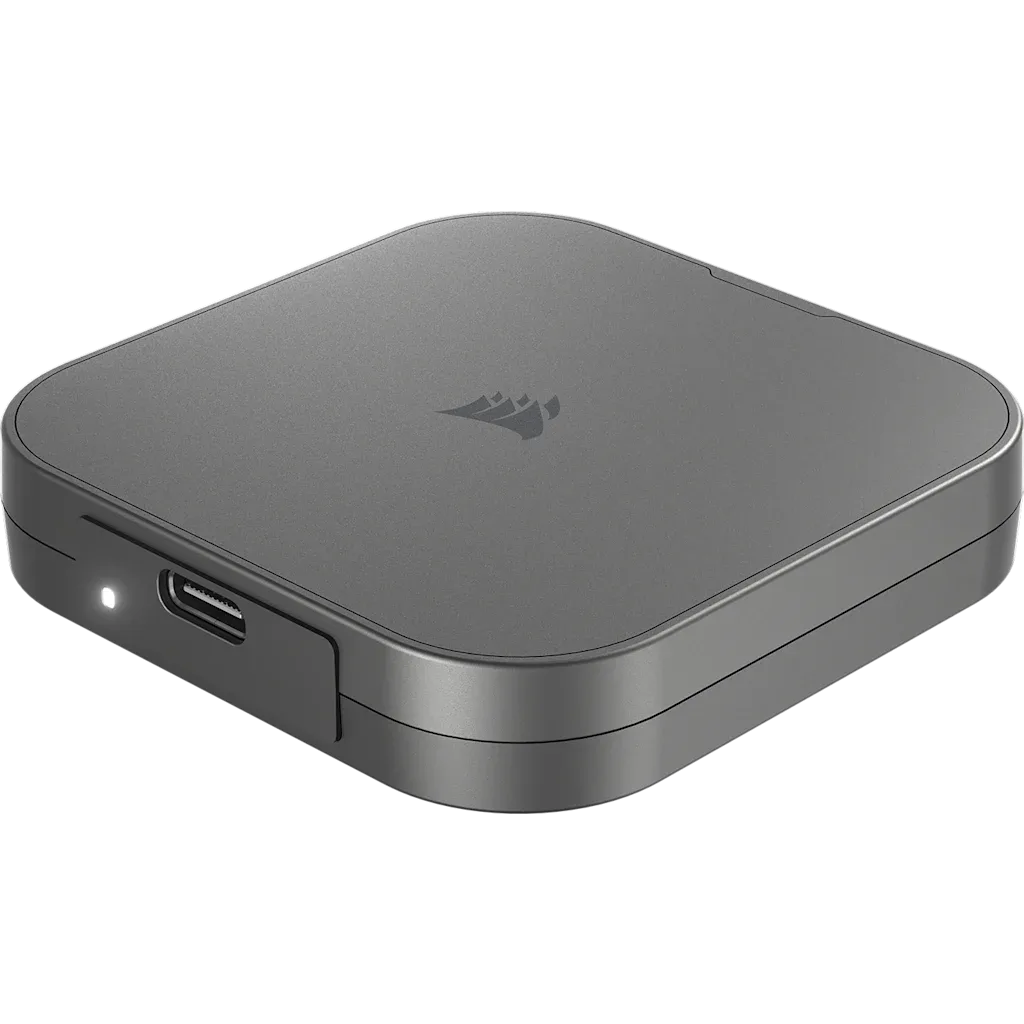
Research-only editorial score: 8.9/10. Interface and rated speed: USB4 40Gbps; up to 4,000MB/s read and 3,600MB/s write (manufacturer). Protection: Compact 92g design with magnetic attachment ring; no verified IP rating. Warranty/security: Three-year limited warranty; no advertised onboard hardware encryption.
Why it earns a place
Fast USB4 transfers, small form factor, short included 40Gbps cable and magnetic attachment for compatible phones. The main advantage is practical: a buyer whose machine and workflow match this product can avoid paying for an incompatible interface or carrying a bulkier enclosure than necessary. Compare the actual 2TB product code rather than assuming another drive with the same family name shares its firmware, NAND configuration, power needs or performance.
Measured performance versus marketing
Tom’s Hardware has an independent EX400U review. Performance depends on host USB4 bandwidth, power and workload; quoted 4.0/3.6GB/s numbers are Corsair’s rated maximum, not a promise for every smartphone. Long sequential writes can be limited by an SLC cache, drive temperature, controller behavior, host power delivery and file characteristics. A test that copies a single 10GB file is not interchangeable with a 600GB media ingest or a directory of hundreds of thousands of small files. For this reason, we put more weight on directly reported sustained performance and independent test methodology than on the highest peak number printed on a box.
What we like
Fast USB4 transfers, small form factor, short included 40Gbps cable and magnetic attachment for compatible phones. In the right circumstances it makes moving footage, game installations or large backup sets easier without requiring an internal SSD installation. Its place on this list is based on the specific role described above rather than on the brand name alone.
What to consider before buying
No confirmed IP rating, only three years of warranty and potential warmth during intensive transfers. Magnetic mounting is not a substitute for securing the cable. USB4 40Gbps is the maximum class supported by this product, not a promise that your laptop will negotiate that speed. Also check whether a USB-A adapter is included, whether a short cable can physically reach your port, and whether the retailer’s warranty is local or international. A removable drive should not be the only copy of irreplaceable files.
Best buyer and alternative
Buy for: iPhone Pro video shooters, mobile creators and commuters who want a small high-speed USB4 accessory. Compare instead: Lexar SL500 for thinner 20Gbps travel use; LaCie Rugged SSD4 for outdoor durability.. If you mainly transfer documents, photos and occasional backups, a lower-bandwidth but durable drive can be the smarter purchase.
Sources: Official manufacturer specifications and Independent test or comparison context. These are external evidence links, not affiliate price guarantees.
P005: Samsung Portable SSD T9 2TB (MU-PG2T0B) — Best USB 20Gbps mainstream SSD
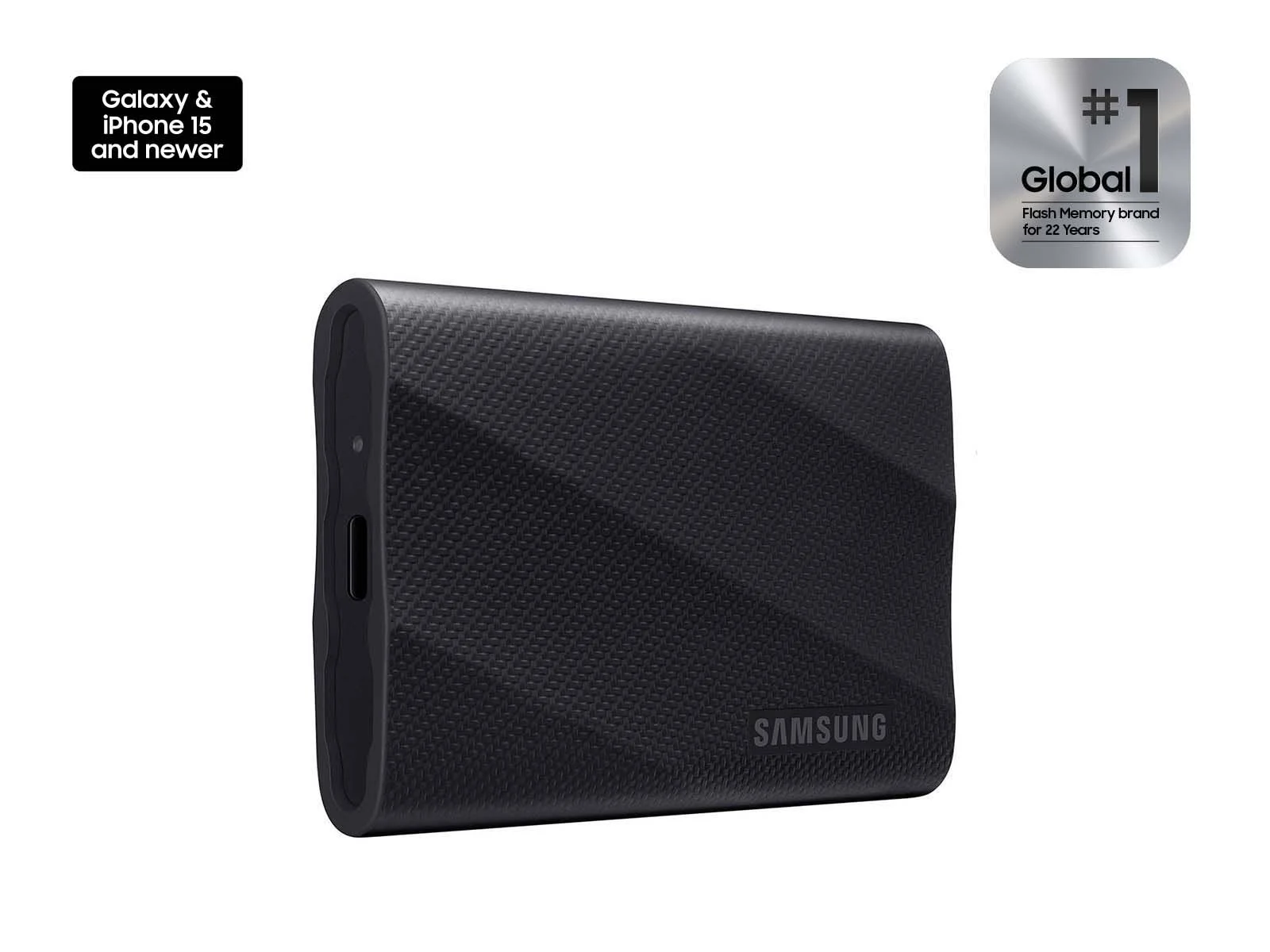
Research-only editorial score: 8.7/10. Interface and rated speed: USB 3.2 Gen 2×2 20Gbps; up to 2,000MB/s read and 1,950MB/s write. Protection: 3m drop-resistance claim; textured shell, but no confirmed IP water/dust rating. Warranty/security: AES-256 hardware encryption, Samsung Magician support and five-year limited warranty.
Why it earns a place
A familiar mainstream ecosystem with hardware encryption, bundled USB-C and USB-A cable options and capable 20Gbps throughput. The main advantage is practical: a buyer whose machine and workflow match this product can avoid paying for an incompatible interface or carrying a bulkier enclosure than necessary. Compare the actual 2TB product code rather than assuming another drive with the same family name shares its firmware, NAND configuration, power needs or performance.
Measured performance versus marketing
In StorageReview’s comparative IOMeter test, a 4TB Samsung T9 reached about 1.94GB/s sequential read and 1.77GB/s write at four threads. That is independent data for a different capacity, not an AsumeTech 2TB test. Long sequential writes can be limited by an SLC cache, drive temperature, controller behavior, host power delivery and file characteristics. A test that copies a single 10GB file is not interchangeable with a 600GB media ingest or a directory of hundreds of thousands of small files. For this reason, we put more weight on directly reported sustained performance and independent test methodology than on the highest peak number printed on a box.
What we like
A familiar mainstream ecosystem with hardware encryption, bundled USB-C and USB-A cable options and capable 20Gbps throughput. In the right circumstances it makes moving footage, game installations or large backup sets easier without requiring an internal SSD installation. Its place on this list is based on the specific role described above rather than on the brand name alone.
What to consider before buying
Most Macs do not provide native USB 3.2 Gen 2×2 20Gbps operation, so the T9 commonly falls back to 10Gbps-class speed. This is not a Thunderbolt drive. USB 3.2 Gen 2×2 20Gbps is the maximum class supported by this product, not a promise that your laptop will negotiate that speed. Also check whether a USB-A adapter is included, whether a short cable can physically reach your port, and whether the retailer’s warranty is local or international. A removable drive should not be the only copy of irreplaceable files.
Best buyer and alternative
Buy for: Windows desktop and laptop users with a verified 20Gbps USB 3.2 Gen 2×2 port who want a mature security and support ecosystem. Compare instead: LaCie Rugged SSD4 for USB4 computers; Samsung T7 Shield for USB 10Gbps laptops.. If you mainly transfer documents, photos and occasional backups, a lower-bandwidth but durable drive can be the smarter purchase.
Sources: Official manufacturer specifications and Independent test or comparison context. These are external evidence links, not affiliate price guarantees.
P006: Lexar SL500 Portable SSD 2TB (LSL500X002T-RNBNU) — Best ultra-slim phone-friendly 20Gbps SSD
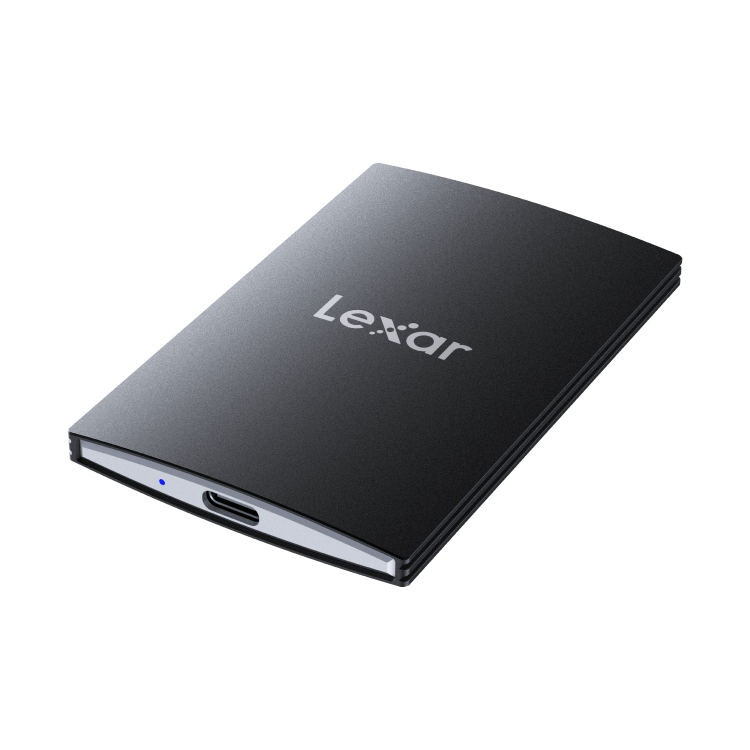
Research-only editorial score: 8.6/10. Interface and rated speed: USB 3.2 Gen 2×2 20Gbps; up to 2,000MB/s read and 1,800MB/s write. Protection: Slim 43g aluminum body, about 4.8mm at thinnest point; no universal waterproof claim for bare standard edition. Warranty/security: Lexar DataShield AES-256 software protection; five-year limited warranty per Lexar.
Why it earns a place
Exceptionally portable form factor, solid 20Gbps performance on compatible PCs and a useful mobile video-recording workflow. The main advantage is practical: a buyer whose machine and workflow match this product can avoid paying for an incompatible interface or carrying a bulkier enclosure than necessary. Compare the actual 2TB product code rather than assuming another drive with the same family name shares its firmware, NAND configuration, power needs or performance.
Measured performance versus marketing
StorageReview tested a 4TB SL500 at around 2.0GB/s sequential read and 1.81GB/s write in four-thread IOMeter, not the selected 2TB. Its excellent small-block results are useful context, not proof that every capacity behaves identically. Long sequential writes can be limited by an SLC cache, drive temperature, controller behavior, host power delivery and file characteristics. A test that copies a single 10GB file is not interchangeable with a 600GB media ingest or a directory of hundreds of thousands of small files. For this reason, we put more weight on directly reported sustained performance and independent test methodology than on the highest peak number printed on a box.
What we like
Exceptionally portable form factor, solid 20Gbps performance on compatible PCs and a useful mobile video-recording workflow. In the right circumstances it makes moving footage, game installations or large backup sets easier without requiring an internal SSD installation. Its place on this list is based on the specific role described above rather than on the brand name alone.
What to consider before buying
Its 20Gbps advertised performance does not translate directly to most Macs or phones. Magnetic accessory kit is a distinct retail bundle, not necessarily included with this exact bare SKU. USB 3.2 Gen 2×2 20Gbps is the maximum class supported by this product, not a promise that your laptop will negotiate that speed. Also check whether a USB-A adapter is included, whether a short cable can physically reach your port, and whether the retailer’s warranty is local or international. A removable drive should not be the only copy of irreplaceable files.
Best buyer and alternative
Buy for: Mobile filmmakers, phone users and frequent travelers prioritizing low weight over rugged bulk. Compare instead: Corsair EX400U for faster USB4 phones/computers; Kingston XS2000 for a protective removable sleeve.. If you mainly transfer documents, photos and occasional backups, a lower-bandwidth but durable drive can be the smarter purchase.
Sources: Official manufacturer specifications and Independent test or comparison context. These are external evidence links, not affiliate price guarantees.
P007: Kingston XS2000 2TB (SXS2000/2000G) — Best tiny rugged 20Gbps alternative

Research-only editorial score: 8.5/10. Interface and rated speed: USB 3.2 Gen 2×2 20Gbps; up to 2,000MB/s read and write. Protection: 28.9g body, IP55 with included removable sleeve and 1.8m drop claim. Warranty/security: Five-year limited warranty and support; hardware encryption is not specified on the official XS2000 product page.
Why it earns a place
Extremely light, genuinely pocketable and protected by a removable sleeve without needing a huge external enclosure. The main advantage is practical: a buyer whose machine and workflow match this product can avoid paying for an incompatible interface or carrying a bulkier enclosure than necessary. Compare the actual 2TB product code rather than assuming another drive with the same family name shares its firmware, NAND configuration, power needs or performance.
Measured performance versus marketing
The 2.0GB/s peak is Kingston’s advertised rating. We did not identify a like-for-like current 2TB sustained-write benchmark in this research set, so heavy-transfer endurance remains less certain than for the directly lab-tested USB4 picks. Long sequential writes can be limited by an SLC cache, drive temperature, controller behavior, host power delivery and file characteristics. A test that copies a single 10GB file is not interchangeable with a 600GB media ingest or a directory of hundreds of thousands of small files. For this reason, we put more weight on directly reported sustained performance and independent test methodology than on the highest peak number printed on a box.
What we like
Extremely light, genuinely pocketable and protected by a removable sleeve without needing a huge external enclosure. In the right circumstances it makes moving footage, game installations or large backup sets easier without requiring an internal SSD installation. Its place on this list is based on the specific role described above rather than on the brand name alone.
What to consider before buying
No claimed built-in hardware encryption; 20Gbps Gen 2×2 requires an exact host capability check and can run around half speed on common 10Gbps connections. USB 3.2 Gen 2×2 20Gbps is the maximum class supported by this product, not a promise that your laptop will negotiate that speed. Also check whether a USB-A adapter is included, whether a short cable can physically reach your port, and whether the retailer’s warranty is local or international. A removable drive should not be the only copy of irreplaceable files.
Best buyer and alternative
Buy for: Students, travelers and creators who need compact removable storage with some environmental protection. Compare instead: Lexar SL500 for a thinner phone mount; Samsung T7 Shield for IP65 and hardware encryption.. If you mainly transfer documents, photos and occasional backups, a lower-bandwidth but durable drive can be the smarter purchase.
Sources: Official manufacturer specifications and Independent test or comparison context. These are external evidence links, not affiliate price guarantees.
P008: Samsung Portable SSD T7 Shield 2TB (MU-PE2T0S) — Best simple rugged USB 10Gbps backup SSD
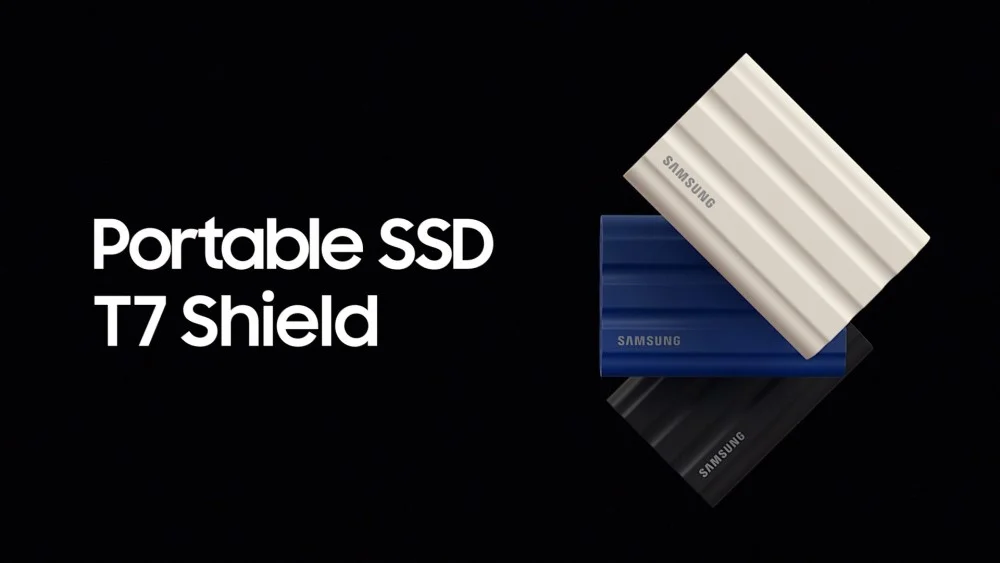
Research-only editorial score: 8.5/10. Interface and rated speed: USB 3.2 Gen 2 10Gbps; up to 1,050MB/s read and 1,000MB/s write. Protection: IP65, up to 3m drop resistance, 98g rubberized chassis. Warranty/security: AES-256 hardware encryption, Samsung Magician support and three-year limited warranty.
Why it earns a place
Works well with commonplace 10Gbps USB-C ports, practical IP65 protection and accessible password/security features. The main advantage is practical: a buyer whose machine and workflow match this product can avoid paying for an incompatible interface or carrying a bulkier enclosure than necessary. Compare the actual 2TB product code rather than assuming another drive with the same family name shares its firmware, NAND configuration, power needs or performance.
Measured performance versus marketing
Samsung quotes up to 1,050MB/s read and 1,000MB/s write under appropriate conditions. Actual long transfers, especially small files, depend on cache, host and thermals; do not confuse peak read speed with a guaranteed backup completion time. Long sequential writes can be limited by an SLC cache, drive temperature, controller behavior, host power delivery and file characteristics. A test that copies a single 10GB file is not interchangeable with a 600GB media ingest or a directory of hundreds of thousands of small files. For this reason, we put more weight on directly reported sustained performance and independent test methodology than on the highest peak number printed on a box.
What we like
Works well with commonplace 10Gbps USB-C ports, practical IP65 protection and accessible password/security features. In the right circumstances it makes moving footage, game installations or large backup sets easier without requiring an internal SSD installation. Its place on this list is based on the specific role described above rather than on the brand name alone.
What to consider before buying
Not the right choice if a fast USB4 port is available and multi-terabyte daily transfers are routine; rated maximum is about half that of Gen 2×2 drives and one-quarter of modern USB4 drives. USB 3.2 Gen 2 10Gbps is the maximum class supported by this product, not a promise that your laptop will negotiate that speed. Also check whether a USB-A adapter is included, whether a short cable can physically reach your port, and whether the retailer’s warranty is local or international. A removable drive should not be the only copy of irreplaceable files.
Best buyer and alternative
Buy for: Anyone who needs an everyday portable backup drive for mixed laptops, travel or outdoor use rather than maximum benchmark speed. Compare instead: Samsung T9 if a verified Windows 20Gbps port is present; LaCie Rugged SSD4 if a USB4 machine is available.. If you mainly transfer documents, photos and occasional backups, a lower-bandwidth but durable drive can be the smarter purchase.
Sources: Official manufacturer specifications and Independent test or comparison context. These are external evidence links, not affiliate price guarantees.
Buying guide: what matters more than advertised MB/s
1. USB-C is a connector, not a speed standard
USB-C can carry USB 2.0, USB 5Gbps, USB 10Gbps, USB 20Gbps, USB4 40Gbps, Thunderbolt 3/4 or Thunderbolt 5 depending on the device and port. The fastest external SSD is bottlenecked by the slowest relevant link in the chain: the drive controller, computer port, cable, hub, filesystem and workload. Check the exact laptop model’s port specification, not the icon alone. If you use a dock, the dock’s upstream and downstream bandwidth may also be shared with displays and other devices.
For 10Gbps hosts, the Samsung T7 Shield can deliver much of the useful sequential bandwidth without paying a USB4 premium. For verified USB 3.2 Gen 2×2 20Gbps hosts, Samsung T9, Kingston XS2000 and Lexar SL500 make sense. For 40Gbps USB4/TB4 hosts, the LaCie, SanDisk and Corsair drives are more appropriate. OWC’s TB5 design is compelling only when your host and workload can exploit its added bandwidth.
2. USB 3.2 Gen 2×2 is a compatibility trap for Mac buyers
Many Apple Macs support USB 10Gbps, USB4 and Thunderbolt but not the separate USB 3.2 Gen 2×2 20Gbps mode. As a result, a Samsung T9, Lexar SL500 or Kingston XS2000 can operate at roughly USB 10Gbps-class speeds on those Macs despite its 20Gbps rating. A USB4-native drive is generally a better high-performance investment for compatible Macs. Windows laptops vary widely too: Thunderbolt branding does not automatically mean a separate Gen 2×2 mode exists.
3. Sustained writes and heat matter more than a short benchmark
Portable SSDs often use a fast cache for the beginning of a copy. Once that cache is exhausted, write speed can fall sharply, sometimes below the advertised maximum by several times. OWC explicitly documents a roughly 1,350MB/s long-write rate for its 2TB Envoy Ultra despite initial 6,000MB/s-class bursts. The lesson applies across brands: ask how a drive handles 200GB, 500GB or larger uninterrupted transfers if you shoot high-bitrate video or regularly migrate large projects.
Thermal throttling is not necessarily a defect: small fanless enclosures manage heat by reducing performance. Metal shells can feel hot while remaining within specifications. Keep the enclosure ventilated and avoid burying it under insulating materials during long writes.
4. Protection ratings are not equal to data safety
IP54 generally means limited dust ingress and splash resistance; IP55 improves water-jet protection; IP65 means dust-tight with resistance to specified water jets; IP67 adds limited immersion resistance under specified test conditions. An IP rating usually applies only when covers are correctly fitted, and it does not mean a connected cable is waterproof. Drop resistance is a controlled test claim, not a guarantee against every impact. None of these ratings replace multiple copies of important files.
5. Encryption: verify hardware versus software
Samsung T9 and T7 Shield explicitly advertise AES-256 hardware encryption, but enabling password protection and recovering access are separate operational questions. Lexar DataShield is software-based and should not be described as the same security architecture. Kingston XS2000, Corsair EX400U and OWC Envoy Ultra should not be assumed to offer onboard hardware encryption without explicit documentation. If you need compliance or confidentiality, verify the exact SKU’s encryption implementation and recovery options, or use an audited OS-level solution with safely stored recovery keys.
6. Capacity, filesystem and real available space
Manufacturers use decimal terabytes; a 2TB drive typically displays roughly 1.82TiB in binary-oriented operating-system readouts before filesystem overhead. The filesystem affects compatibility: exFAT is convenient for exchanging files across Windows and macOS, APFS is Mac-oriented, and NTFS is primarily Windows-oriented without extra macOS write support. Formatting erases data, so decide the cross-platform workflow before copying your archive. Confirm whether your camera, phone or console requires a particular format or partition scheme.
7. Phone recording and console storage are special cases
Some recent USB-C iPhones can record high-bitrate video directly to an external drive when the model, codec, filesystem, cable and power requirements align. A magnetic mount may keep the SSD near the phone, but cable strain and battery drain still matter. Game consoles can often store or move games on USB drives, but the ability to run current-generation games directly from an external SSD is platform-specific. For example, external USB storage is not interchangeable with a console’s internal expansion format. Check the console maker’s current policy before buying for gaming.
8. Warranty and counterfeit checks
Portable storage is frequently counterfeited. Prefer authorized retailers, compare the printed SKU and capacity, inspect firmware through the vendor’s supported utility when possible, and run a non-destructive capacity and transfer check before trusting valuable data. Some manufacturer warranties differ from local seller warranties; an advertised five-year manufacturer warranty may be difficult to use in an unsupported import market. Keep receipts and serial records, and do not rely on warranty coverage as a substitute for backup.
9. Which 2TB drive offers the best value?
There is no stable universal price winner in October 2026: regional availability, currency changes and SSD supply conditions can change the price hierarchy quickly. Compare delivered cost per usable terabyte plus the interface your actual host supports. A 40Gbps drive that never exceeds 10Gbps on your laptop may be a poor purchase even if its specification looks impressive. Conversely, a creator who transfers hundreds of gigabytes every day can justify paying more for real sustained USB4 throughput.
Frequently asked questions
Is USB4 faster than Thunderbolt 4 for an external SSD?
Both can support a 40Gbps link, but actual storage throughput depends on controller design, protocol tunneling, host and workload. Neither label alone guarantees the fastest drive. Thunderbolt 5 supports a higher link rate, but a TB5 SSD can still slow during sustained writes.
Can I use a USB4 external SSD on an older USB-C laptop?
Often yes when the manufacturer explicitly lists backward compatibility, but performance drops to the older interface limit. Some Thunderbolt-only models have stricter host and power requirements, so check the official compatibility table for the exact drive and operating system.
Should I buy a 2TB or 4TB portable SSD?
2TB is a flexible starting point for mixed backups and active projects; 4TB is better for large video libraries or multiple machines. Larger capacities sometimes perform differently because of NAND layout and cache. Always compare the exact capacity’s independent test data and cost rather than extrapolating from another size.
Can an external SSD replace a backup?
No. A single external SSD is one copy, vulnerable to loss, theft, accidental deletion, electrical damage and firmware failure. Keep multiple copies on separate devices, including one offline or offsite copy for irreplaceable work. Use versioned backups and periodically test restores.
Are older Crucial X9 Pro and X10 Pro SSDs still worth buying in 2026?
Only as a carefully priced remaining-stock purchase with a trustworthy seller and verified warranty process. Micron’s exit from the Crucial consumer business changes the normal current-production recommendation; the products did not suddenly become technically unusable, but availability and replacement logistics are less straightforward.
Does an external SSD improve gaming frame rates?
Usually not directly. Faster storage can reduce loading or installation time and may help streaming in some workloads, but CPU, GPU, RAM and game design largely determine frame rate. Platform-specific rules also determine whether games can launch directly from external USB storage.
Our final recommendations
Choose the LaCie Rugged SSD4 2TB if you have USB4 and want a well-tested blend of speed and durability. Choose the SanDisk Extreme PRO USB4 2TB for IP65 field protection, OWC Envoy Ultra 2TB for Thunderbolt 5 workstations, Corsair EX400U 2TB for compact USB4 phone workflows, Samsung T9 2TB for verified 20Gbps Windows ports, and Samsung T7 Shield 2TB for reliable everyday 10Gbps travel use. For exceptionally light 20Gbps designs, compare Lexar SL500 and Kingston XS2000.
If you’re deciding which laptop port can drive these SSDs, see our 2026 laptop buying guide. If you intend to move large gaming libraries, our gaming handheld comparison explains the different storage ecosystems. Those links point to already-published AsumeTech articles; we do not link to unpublished SSD roundups.
